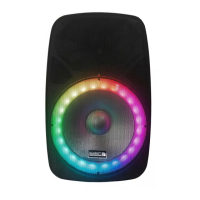
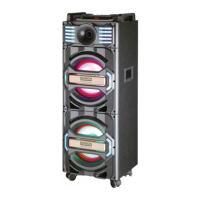
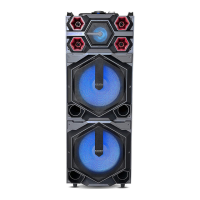
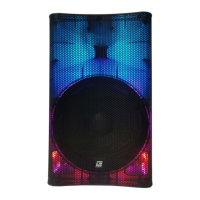
This document is an instruction manual for the EDISON PROFESSIONAL XS-1000MKII, an active 2-way full-range speaker box.
Function Description:
The EDISON PROFESSIONAL XS-1000MKII is a professional active speaker designed for audio playback. It features multiple input options for connecting various audio sources, including microphones, line-level devices, and digital media via USB, SD card, and Bluetooth. The speaker includes controls for adjusting volume, bass, and treble, as well as an integrated MP3 player with a digital display. It is designed for both indoor use and can be mounted, provided appropriate strong and approved mounting materials are used. The speaker also features an LED light switch for controlling integrated lighting.
Important Technical Specifications:
- System: Active 2-way full range speaker box.
- Woofer: 15 inches.
- Tweeter: 1 inch.
- Power: 2000 Watts.
- Impedance: 8 ohms.
- Frequency Range: 45Hz - 18KHz.
- Sensitivity: 98dB (+/- 2dB).
- Connectors: XLR, 6.35mm, RCA.
- Mic Input Level: <5mV.
- Line Input/Output Level: 250mV.
- Mains Supply: 115/230V~60/50Hz (earthed).
Usage Features:
The speaker offers a range of features for versatile use:
- MP3 Control Digital Display: An LCD screen (1) displays information for the MP3 player.
- MP3 Control (2): This section includes controls for the integrated MP3 player.
- MODE: Switches between USB, SD, Bluetooth (BT), and FM radio modes.
- ►II (Play/Pause): Starts or pauses playback.
- SCAN: Long press initiates auto-search for FM radio stations.
- Repeat: Toggles between repeating one track, repeating all tracks, or random playback.
- ◄► (PRE/NEXT): Navigates between previous and next tracks/stations in FM mode. Long press searches for lower/higher stations manually. Short press tunes to saved stations.
- ◄ (Previous Song): Short press goes to the previous song. Long press rewinds quickly.
- ►►► (Next Song): Short press goes to the next song. Long press fast forwards quickly.
- SD Card Input (3): For playing audio files from an SD card.
- USB Input (4): For playing audio files from a USB drive.
- MP3 Input Level Control (5): Adjusts the volume for MP3 playback.
- Mic Input Level Control (6): Adjusts the volume for microphone inputs.
- Line Input Level Control (7): Adjusts the volume for line-level inputs.
- Master Volume Control (8): Controls the overall output volume of the speaker.
- Treble Control (9): Adjusts high frequencies.
- Bass Control (10): Adjusts low frequencies.
- Microphone Inputs:
- XLR Microphone Input (11): Professional microphone input.
- 6.35mm Microphone Input (12): Standard microphone input.
- Line Inputs:
- 3.5mm Line Input (13): Auxiliary input for connecting devices with a 3.5mm jack.
- RCA Phone (R+L) Line Inputs (14): Stereo RCA inputs for various audio sources.
- XLR Line Input (15): Professional line-level input.
- Line Output (16): 6.35mm line output for connecting to other audio equipment.
- Speaker Out 8 Ohm (17): Output for connecting an external 8-ohm passive speaker.
- LED Indicators:
- Clip LED Indicator (18): Illuminates when the audio signal is clipping, indicating potential distortion.
- Power LED Indicator (19): Shows when the unit is powered on.
- Voltage Switch (20): Allows selection between 115V and 230V operation.
- Main Power Switch (21): Turns the speaker on or off.
- Fused IEC Mains Inlet (22): Connects the speaker to the mains power supply and houses the fuse.
- LED Light Switch (ON/OFF) (23): Controls the integrated LED lighting on the speaker.
Maintenance Features:
- Safety First: Always turn the volume down to minimum before switching on. Connect the audio source, then connect to the mains supply, and finally switch on the active speaker.
- Power Management: Unplug the unit from the mains when not in use, during thunderstorms, or before checking/replacing the fuse.
- Environmental Protection: For indoor use only. If used outdoors, ensure no humidity can enter the box. Do not place liquids on the box. Protect against humidity to prolong lifespan.
- Overload Prevention: Do not overload the box to avoid damage to the speakers.
- Temperature Considerations: If the unit has not been used for a long time, condensation may occur. Allow it to reach room temperature before use.
- Cable Management: Run the mains lead in a way that prevents tripping hazards.
- No User-Serviceable Parts: The product contains no user-serviceable parts. Refer servicing to qualified service personnel. Do not attempt to repair the unit yourself.
- Grounding: This product must be earthed. Connect to an earthed mains outlet of 115/230V~60/50Hz.
- Placement: Ensure the box is placed on a stable, strong surface. If hanging, use only strong and approved mounting material, ensuring no one is standing below the mounting area.
- Children Safety: Keep the unit out of reach of children.
- Fire Hazard: Do not place open flames (candles, etc.) on top or next to the box.

 Need help?
 General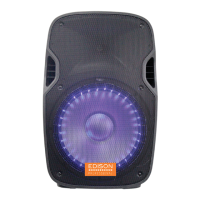

 To Next Page