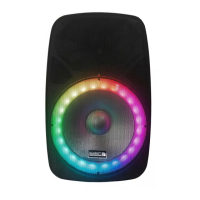
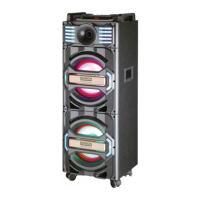
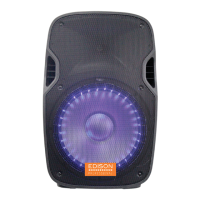
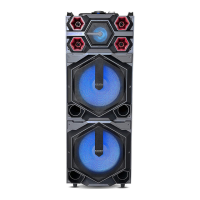
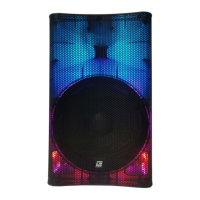
The EDISON EP-10000 BSP1456 is a TROLLEY SPEAKER designed for portable audio playback and public address. This user manual outlines important safety measures, operational instructions, and troubleshooting tips to ensure proper and safe use of the device.
Function Description:
The EP-10000 is a versatile trolley speaker equipped with various input options and controls, making it suitable for a range of applications from personal entertainment to small events. It features Bluetooth connectivity for wireless audio streaming, USB and TF card inputs for playing media files, and AUX input for connecting external audio sources. The speaker also includes microphone inputs with priority and echo functions, making it ideal for karaoke or public speaking. Its trolley design with wheels and a handle enhances portability.
Important Safety Measures:
Before operating the EP-10000, users must carefully read and adhere to all safety and operating instructions. These instructions should be kept for future reference.
- Protection of Electric Power Supply Line: Ensure the power supply line is not trampled or pressed by heavy objects. Pay special attention to the plug and the outlet on the machine. Do not lengthen the electric shock, and avoid pulling or dragging the power supply line.
- Ventilation: The speaker must be placed in a well-ventilated area. Do not place disks or cloth on top of it, and maintain a distance of at least 10 centimeters from walls. Avoid placing the unit on beds, sofas, carpets, or similar surfaces that could obstruct ventilation.
- Casing Dismantling: Do not attempt to dismantle the casing. Touching internal components can result in severe electric shock.
- Unusual Smell: If you detect an unusual smell or smoke, immediately cut off power supplies and unplug the unit from the wall outlet. Contact the seller or the nearest repairing center.
- Power Supply: The unit operates on AC110V-240V/50Hz-60Hz power supply. Use only standard power supply and avoid using power supplies with small output or unsteady voltage.
- Liquid Exposure: The apparatus should not be exposed to dripping or splashing liquids. Do not place objects filled with liquid, such as vases, on the apparatus.
Usage Features:
Control Panel (EP-10000):
The control panel provides access to all functions and settings of the speaker.
- AUX INPUT: For connecting external audio devices via a 3.5mm cable.
- DC15V/3A INPUT: Power input for charging the speaker.
- Volume Adjust: Master volume control for the speaker.
- USB/TF Repeat Keys: Controls for repeating tracks when playing from USB or TF card.
- MUTE Keys: Mutes the speaker output.
- LED ON/OFF Keys: Toggles the LED lights on/off.
- MIC.PRIORITY ON/OFF: Activates or deactivates microphone priority mode, which lowers music volume when the microphone is in use.
- MIC Volume: Adjusts the volume of the connected microphones.
- MIC ECHO: Adjusts the echo effect for the microphones.
- MIC1 input: Input jack for the first microphone.
- MIC2 input: Input jack for the second microphone.
- Charge lamp: Indicates charging status (red for charging, green for full battery).
- LED display: Digital display for showing mode, track number, etc.
- Battery LOW indicator light: Illuminates when the battery level is low.
- USB/TF terminal: Port for inserting USB drives or TF cards.
- USB/TF volume+/next keys: Increases volume and skips to the next track for USB/TF playback.
- USB/TF volume-/prev keys: Decreases volume and skips to the previous track for USB/TF playback.
- USB/TF Play and suspend keys: Plays or pauses media from USB/TF.
- USB/TF/AUX/FM input conversion keys: Switches between USB, TF, AUX, and FM radio input modes.
- Treble adjust: Adjusts the treble level of the audio output.
- Bass adjust: Adjusts the bass level of the audio output.
- POWER ON/OFF: Turns the speaker on or off.
Bluetooth Function Operation:
- Select Bluetooth Mode: Press the "MODE" button to select Bluetooth input mode.
- Enable Bluetooth: On your mobile phone, laptop, iPod, or other portable device, enable Bluetooth.
- Search for Speaker: Search for Bluetooth devices. The speaker will appear as "BSP1456" (no connection password required).
- Pair Device: Select "BSP1456" to pair. Upon successful matching, you will hear a "beep" sound from the speaker.
- Enjoy Music: You can now stream music wirelessly from your device to the speaker.
- Bluetooth Range: The portable device's Bluetooth distance is typically 10m to 15m without walls or other intermediate barriers.
Important Technical Specifications:
- Output power: 40W (4Ω 1KHz, 1% THD)
- Power supply: AC110V-240V/50Hz
Maintenance Features (Troubleshooting):
The manual provides a troubleshooting guide for common issues:
-
No display:
- Problem: Power plug is not probably plugged in.
- Solution: Reinsert power plug.
- Problem: Power socket is broken.
- Solution: Change the power socket.
-
No sound:
- Problem: Incorrect speaker connection.
- Solution: Check speaker connection.
- Problem: Wrong input mode.
- Solution: Choose the right input mode.
- Problem: Volume at lowest level.
- Solution: Turn up the master volume key.
-
Sound distortion:
- Problem: Master volume too loud.
- Solution: Turn down master volume.
- Problem: The speaker is broken.
- Solution: Check whether the speaker is broken or not; if broken, then repair it.
-
No radio signal:
- Problem: Not choose the radio channel.
- Solution: Choose the radio channel.
- Problem: Receiving position is not good.
- Solution: Turn the antenna to the right direction or move the speaker to proper position.
If problems persist after checking these points, contact your local distributor or the company for assistance.
The device complies with Part 15 of the FCC Rules.
- Labelling requirements (§ 15.19): This device may not cause harmful interference and must accept any interference received, including interference that may cause undesired operation.
- Changes or modification warning (§ 15.21): Any changes or modifications not expressly approved by the party responsible for compliance could void the user's authority to operate the equipment.
- Information to the user (§ 15.105): The equipment has been tested and found to comply with Class B digital device limits, designed to provide reasonable protection against harmful interference in a residential installation. If the equipment causes harmful interference to radio or television reception, users are encouraged to try to correct the interference by:
- Reorienting or relocating the receiving antenna.
- Increasing the separation between the equipment and receiver.
- Connecting the equipment into an outlet on a circuit different from that to which the receiver is connected.
- Consulting the dealer or an experienced radio/TV technician for help.
Limited Warranty:
BriteLite Enterprises provides a limited product warranty for the EP-10000. The product is warranted to be free from defects in materials and workmanship under normal use for a period of 90 days for parts and 1 year for labor. If the product fails to conform to the warranty, BriteLite or its authorized service will repair or replace the nonconforming product. Customers must provide notice of noncompliance within the warranty period by emailing service@britelite.net or calling 310-363-7110 (Mexico customers can call 0155 4624 0251). The original dated receipt is required as proof of purchase.
For installation, setup, or missing/replacement parts, users are advised to contact BriteLite support directly rather than returning the product to the dealer.
- E-mail: Service@britelite.net
- Phone: 1-888-604-8881 or 310-363-7110
- In Mexico: 0155 4624 0251

 Need help?
 General

 To Next Page