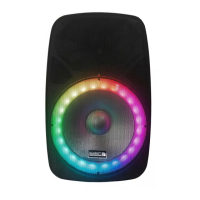
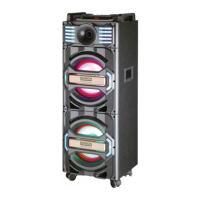
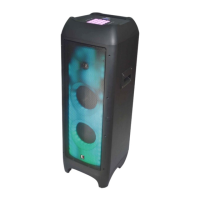
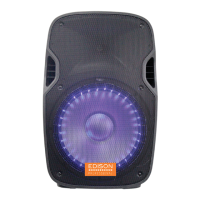
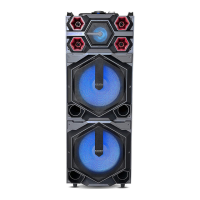
The EDISON PROFESSIONAL TRANSLUCENT Bluetooth Party Speaker, model FIREFLY T3500, is a robust audio device designed for party environments, featuring a translucent design with integrated lighting.
Function Description:
This speaker is a versatile audio system capable of playing music from various sources. It supports Bluetooth connectivity for wireless streaming from smartphones, USB drives, and SD cards for local media playback. It also includes an FM radio tuner and an AUX input for connecting external devices via a 3.5mm cable. For enhanced audio experiences, the speaker offers True Wireless Stereo (TWS) functionality, allowing two FIREFLY speakers (sold separately) to be paired for a stereo sound setup. The integrated translucent design with multiple lighting modes adds a visual element to the audio experience, making it suitable for party settings.
Important Technical Specifications:
- Power Requirement: AC120V/60Hz
- Power Consumption: 7.5 W
- Weight: 21.5 Kgs
- Dimensions: 47 x 44.2 x 100 cm
- Operation Temperature: +5°C to +35°C
- Speaker Size: 15" steel frame woofer (4 Ohm)
- Driver: 2 x 1" Titanium diaphragm (8 Ohm)
- Power Output: 2000 Watts PMPO
Usage Features:
The FIREFLY T3500 offers a comprehensive set of controls and features for ease of use:
Control Panel (Rear):
- SD CARD Slot: For playing music from memory cards.
- USB Port: For playing music from USB storage devices.
- MODE Button: Cycles through LINE (Aux-in), BLUETOOTH, and FM modes.
- Repeat / EQ Button: Short press to repeat a track; long press to select EQ modes (Normal, Classical, Jazz, POP, Rock).
- I/VOL- Button: Short press for the previous song; long press for volume down.
- I/VOL+ Button: Short press for the next song; long press for volume up.
- II/TWS Button: In USB/SD/BT mode, short press for Play/Pause; in FM mode, press for auto-search and store radio stations; long press for TWS pairing.
- TREBLE Knob: Adjusts treble settings.
- VOLUME Knob: Adjusts overall volume in USB/SD/FM/BT modes.
- AUX Input: 3.5mm jack for external audio devices.
- BASS Knob: Adjusts bass levels.
- LINE OUT: XLR output for connecting to an amplifier or another speaker.
- MASTER Knob: Controls the master volume of the speaker.
- LINE IN VOL Knob: Adjusts the volume for the RCA Line input.
- MIC IN VOL Knob: Adjusts the microphone volume.
- RCA Line Input: Connects to analogue audio devices using RCA cables.
- MIC IN ¼" Jack: For connecting a microphone.
- Line IN (XLR): For connecting to an audio source using a balanced XLR cable.
- MIC IN (XLR): For connecting a microphone using an XLR cable.
- AC Power: Detachable power cord connection.
- POWER Switch: Turns the speaker on/off.
- LED Switch: Turns the integrated lights on/off.
Remote Control:
- POWER Button: Toggles between ON and STANDBY modes.
- STOP Button: Stops media playback in SD Card and USB modes.
- MUTE Button: Mutes/unmutes audio.
- MODE Button: Cycles through LINE IN (AUX IN), USB, TF CARD, FM Radio, and Wireless BT modes.
- REPEAT Button: Repeats one song or all songs (not functional in Wireless BT mode).
- EQ Button: Switches between different EQ modes (Normal, Classical, Jazz, POP, Rock) in USB/SD card mode.
- I Button: In USB/SD/AUX mode, goes to the previous song; press and hold to rewind. In Bluetooth mode, goes to the previous song. In FM mode, goes to the previous channel.
- I Button: In USB/SD/AUX mode, goes to the next song; press and hold to fast forward. In Bluetooth mode, goes to the next song. In FM mode, goes to the next channel.
- II Button: Pauses/resumes music in all modes.
- VOL - Button: Reduces master volume.
- VOL + Button: Increases master volume.
- Numeric Keys (0-9): Direct track selection in USB/SD mode.
Basic Operation:
- Turning On/Off: Use the power ON/OFF button on the rear panel. The remote control's power button functions only when the main power switch is ON.
- Front Panel Light: Short press the RED switch on the rear panel to activate the lights. There are 5 lighting modes:
- Multi-color automatically (default on power-up)
- Color conversion
- Color run
- Color flash
- Turn off LED light
- TWS Mode: To pair two FIREFLY speakers for stereo sound, press and hold the "TWS" button on the rear panel of both speakers. They will pair automatically.
- Bluetooth Pairing: Enable Bluetooth on your smartphone, search for "T3500," and select it to connect.
Maintenance Features:
The manual emphasizes several safety instructions to ensure the longevity and safe operation of the device:
- Keep the speaker away from water, rain, and liquids.
- Ensure adequate ventilation by maintaining at least a foot of distance from other objects.
- Avoid placing the speaker near heat sources.
- Do not place candles or objects with flames on the speaker.
- Protect the power cord from physical damage.
- Use only manufacturer-specified attachments and accessories.
- Unplug the speaker during lightning storms or when not in use.
- The device is designed for indoor use and should not be exposed to rain or moisture to reduce the risk of fire or electric shock.
- Any changes or modifications not expressly approved by the manufacturer could void the user's authority to operate the equipment.
The device also includes FCC warnings, advising users on how to mitigate potential interference with radio or television reception, such as reorienting antennas or increasing separation between equipment.

 Need help?
 General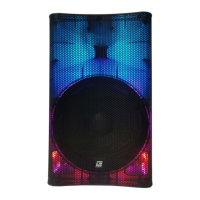

 To Next Page