17
V / OPEN WINDOW FUNCTION:
Your radiator has an Open Window function. If you open a window widely in
the space where the radiator is located, a sensor will detect the sharp drop in
temperature.
The radiator switches out automatically and the symbol “FO”, ickers on your screen.
The radiator is re-ignited automatically after 10 minutes.
However you can manually relight the radiator before the 10 minutes end by
pressing on the button “ ” of the radiator.
The symbol “FO” disappears then of the screen.
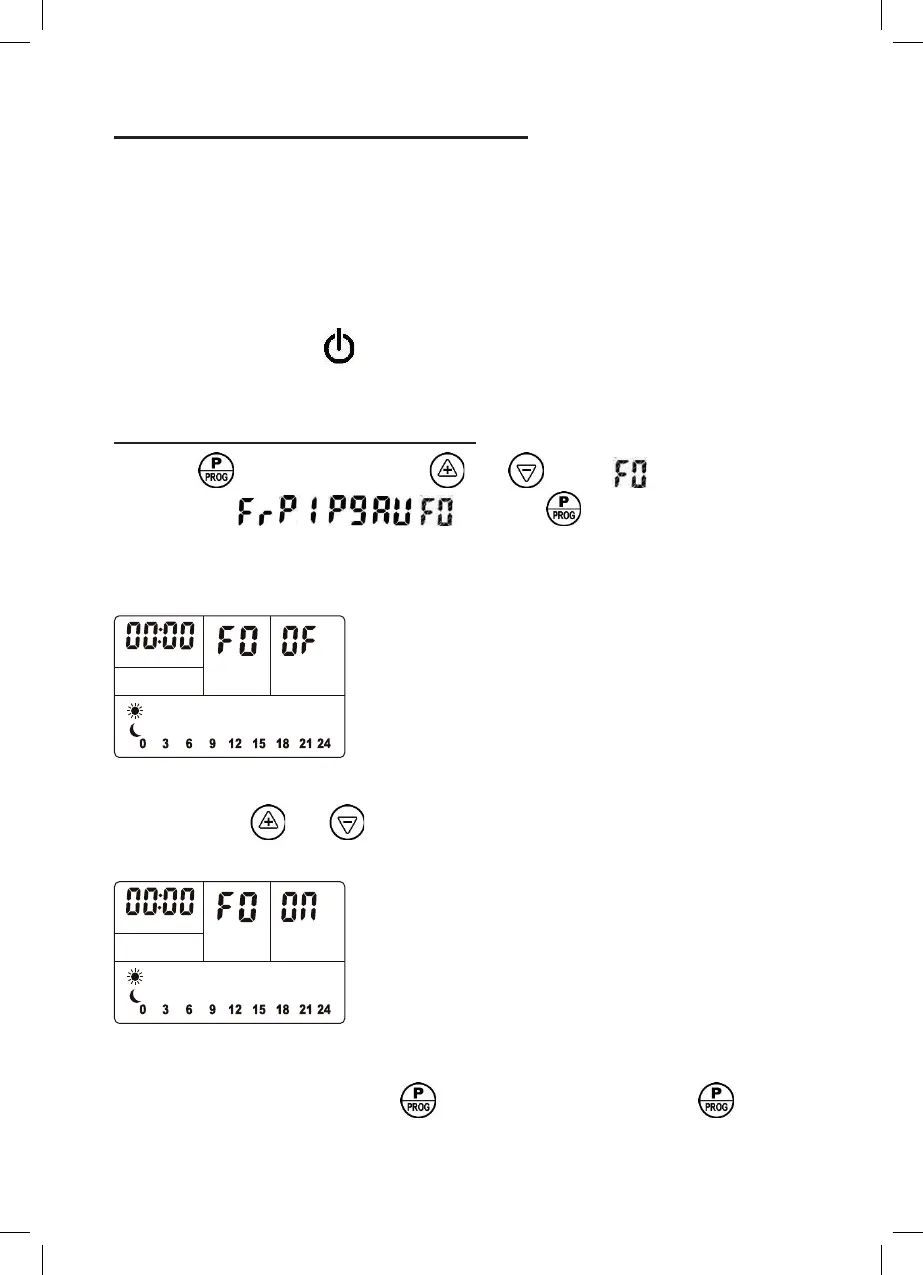
Activating the Open Window function:
1- Press once. Using the keys and , select from the list of
abbreviations - ~ - - and press once to conrm your
choice.
2- Once in the Open Window program, the following screen appears:
1
The symbol OF indicates "function not in operation".
Using the keys and , change OF into ON, (ON meaning “function is in
operation”)
1
The Open Window function is now selected.
To conrm your selection, press once. If you do not press the button,
the activation of the function will be conrmed automatically after 5 seconds.


 To Next Page