11
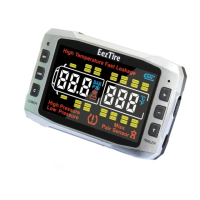
beep, and a random code will be displayed. Press the plus button to
go to the next tire and do the same and so on.
3. When you have programed the last sensor, press the “CODE”
button down until the monitor sets off the alarm. Then turn off the
monitor then turn it on again to make sure the tires are programed in
the right position.
4. Install your sensors to the valve stems in the order that you
programed them. Give the monitor 5 to 10 minutes to register all the
sensors. Once the sensors are synced you will not have to re-sync
unless you turn off the monitor. You can leave the monitor turned on
by the monitor’s battery power. The monitors internal battery will run
for 60 hours between charges.
NOTE:
If you get an ID LF (low frequency), error code, hit the sensor hard on
the table to wake it up and repeat. If you still get the Id LF repeat,
press the CODE button and release, pause and then press the CODE
button and release again. If it still gives ID LF then check the battery
voltage with a volt meter. The voltage on a fresh battery should be
3.2v. If it is at or below 2.8v replace the battery with a fresh one.
Method 2: AIR ACTIVATION (Most Difficult)
1. Using the switch on the left side center of the monitor push it up
to turn on the monitor.
2. Place the sensors on the tires as numbered on your diagram but
not under air pressure yet.


 To Next Page