Electronic device DMU2000 - DMU3000 - DMU3000 PLUS
20
Electronic device DMU2000 - DMU3000 - DMU3000 PLUS
8. Displaying/changing available data in the software
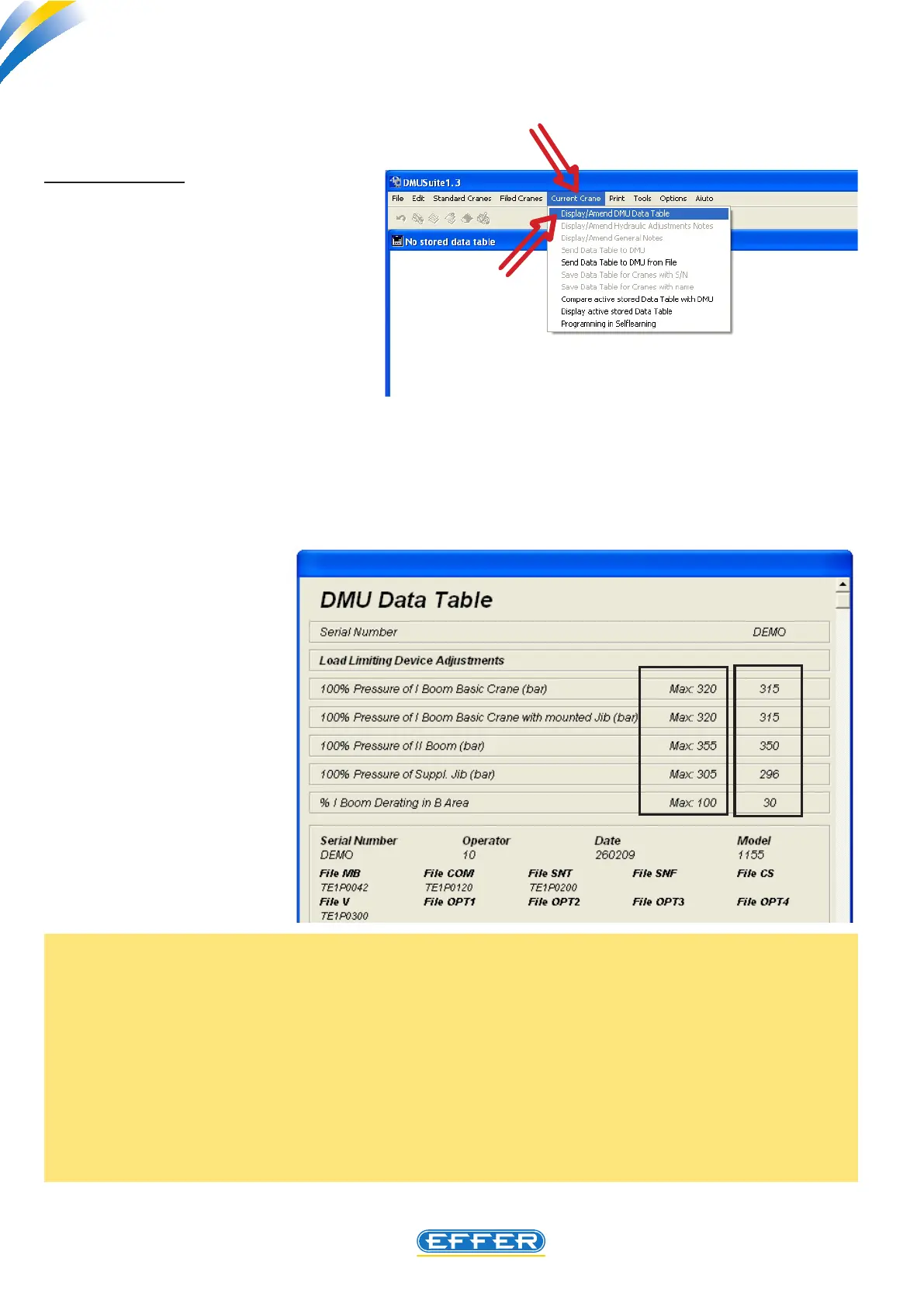
Why are the maximum pressure values higher than setting values???
The setting values ensure that the crane is able to handle the loads indicated in the load diagrams with
an “ideal” hydraulic system, i.e. with values of back-pressure on oil exhaust pipes almost close to zero:
If this is not found on a specic installation, you can raise the values in last column up to the maximum
values allowed. Thus the DMU device delays its operation, and the crane increases its performance.
As to the setting value for the work in front of the cab, (rst boom downgrading in B area) the setting
value that appears is the value resulting from the application of the crane to the truck, which is the
minimum possible in respect of the weights on the axes only: in case the specic truck allows operating
in conditions of stability with higher performance, you can change this value, i.e. increase it.
a) DISPLAYING
To display and change the data in the
DMU tted to the crane it is necessary
to:
u Click on the icon “Current Crane”
u Click on the icon “Display/Change
DMU Data Sheet”
- The software runs the data uploading inside the DMU on the computer.
You must wait a few seconds to run the operation.
- “DMU Data Sheet” window appears
In column A on the
left, the maximum
setting values al-
lowed for this proj-
ect are shown, while
in the column B the
set setting values
are shown.
B
A



 To Next Page