Electronic device DMU2000 - DMU3000 - DMU3000 PLUS
30
Electronic device DMU2000 - DMU3000 - DMU3000 PLUS
d) Sixth Menu:
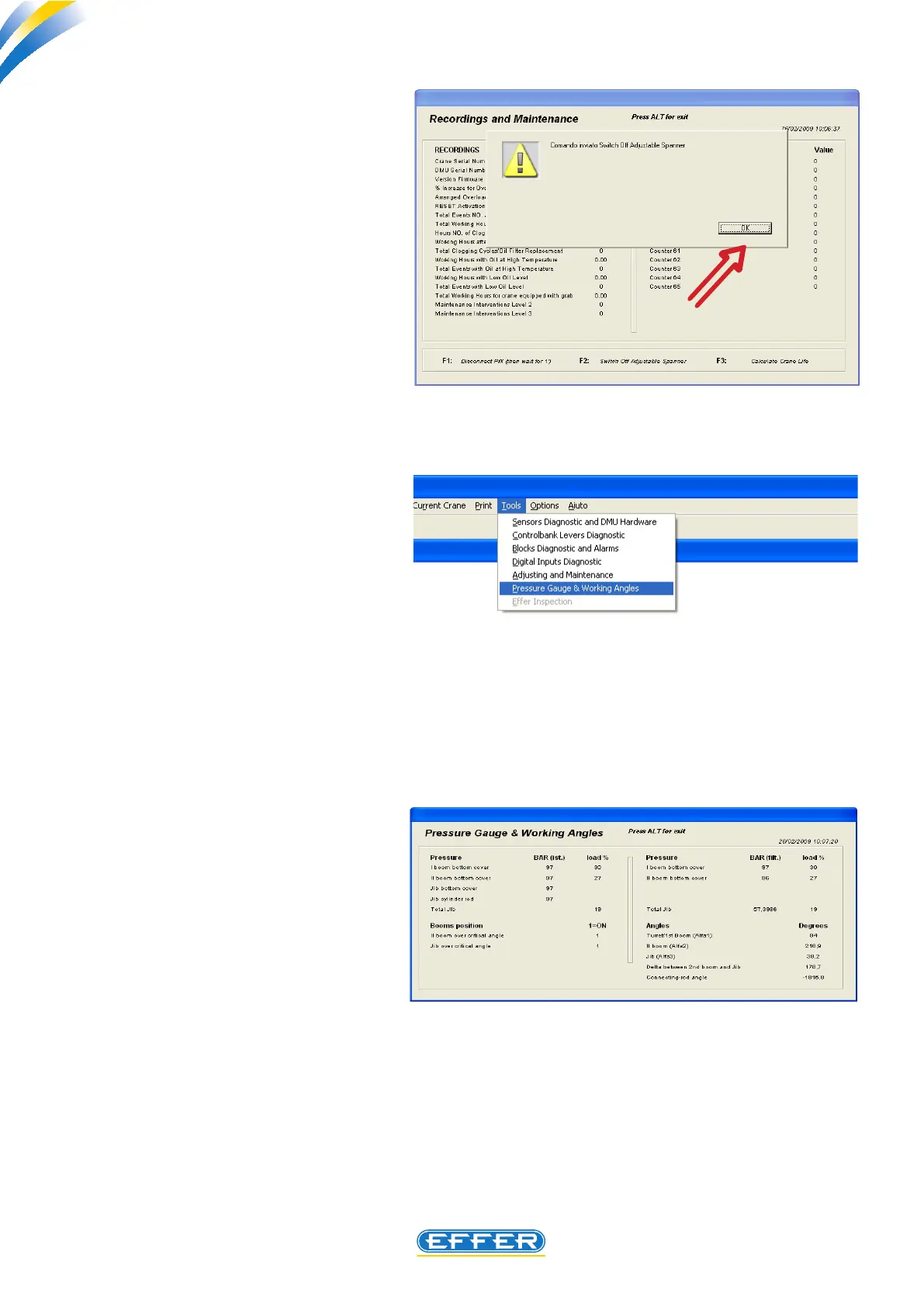
Pressure gauge and working angles
u Click on the icon “Pressure gauge
and working angles”
“Pressure gauge and working angles”
window appears.
When the DMU device is operated, the
crane has a dierent operation in case
the second boom is located in a position
above/under the 30° angle.
The additional jib changes its operation
if it is in a position above/under the
horizontal line.
This distinction is indicated in the menu,
with 0 when the booms are under the
critical angle, and 1 when they are
above.
The explanation of the values relating to
Delta and Link rod, are reported at the
page 27.
Upon completion of maintenance,
press the button F2 on the keyboard
of the computer.
A screen of conrmation of the
requested operation appears.
u CLICK OK
The spanner symbol turns o and next
to the individual headings the numera-
tor that shows the number of times that
have been achieved this operational
status turns on.



 To Next Page