Electronic device DMU2000 - DMU3000 - DMU3000 PLUS
42
Electronic device DMU2000 - DMU3000 - DMU3000 PLUS
4
7
1
3
2
B) When starting the DMU, the warning lights
1, 2, 3, 4, and 7 are ashing slowly and
a continuous acoustic alarm is emitted Biiiiiiiip
CAUSE
The DMU receives the indication that a crane control bank lever is not in its central position: a micro-
switch tted behind a control bank lever is operated.
! FAILURE ANALYSIS
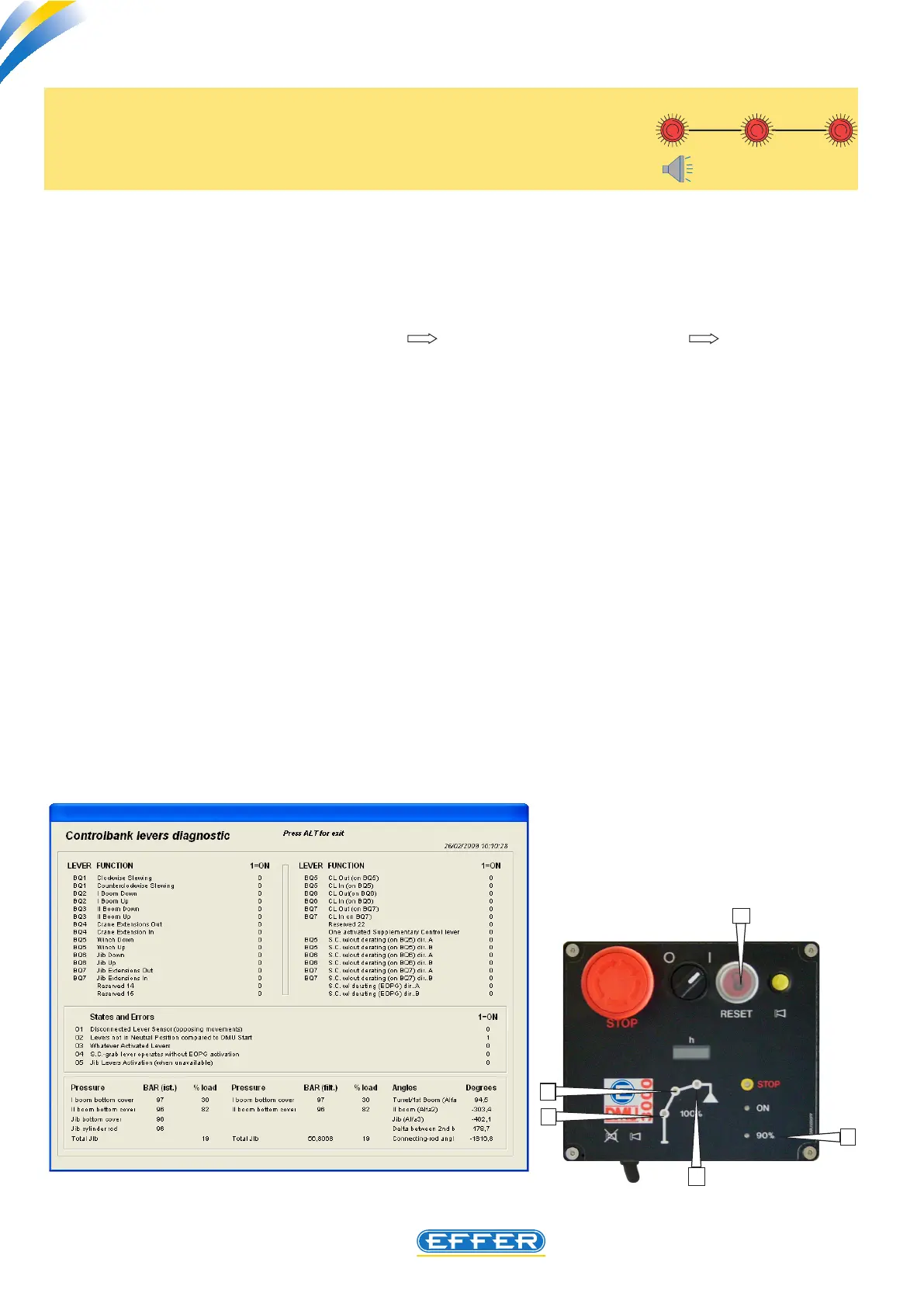
If the computer is connected to crane (tools control bank lever diagnostics conditions and
errors) the error status is displayed:
- “1” appears next to: “lever not in neutral position when DMU is started”
On the same page the indication “1” DOES NOT appear next to any lever: it is an unstable fault of a
microswitch, that occurs only when starting.
CHECK
Check the error state disappears on the computer when carrying out the electric by-pass on ALL con-
necting cables, as outlined in Chapter 17.
Restore, one at a time, the various electrical connections to microswitches, to identify the faulty one.
SOLUTION
Replace the faulty microswitch tted to control bank.



 To Next Page