2
Fiery proServer components
Front panel
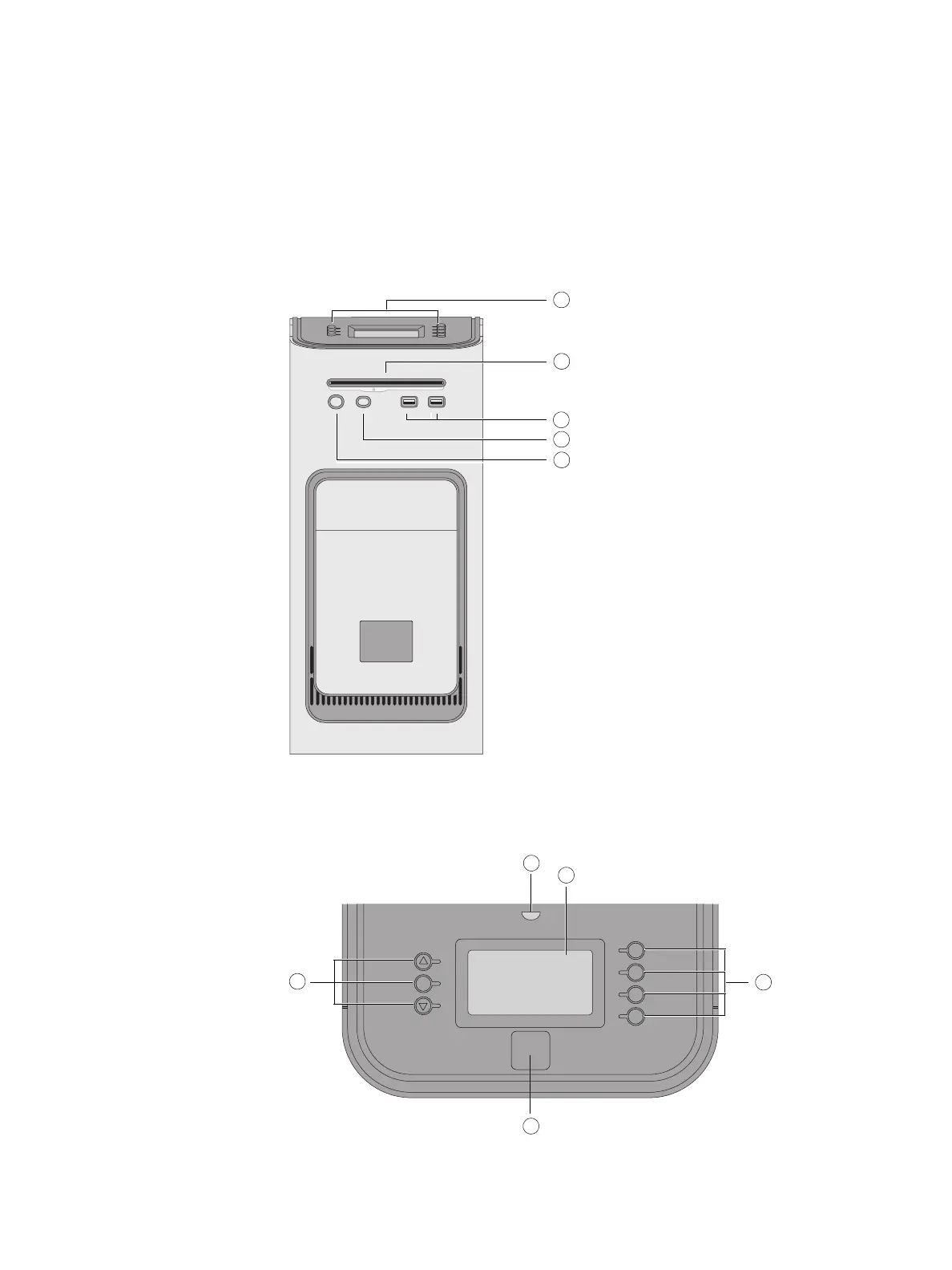
The front panel consists of the following components:
Control panel
The control panel is located on the top front of the Fiery proServer.
Fiery proServer front panel
1 LCD and line selection
buttons
2DVD drive
3 Front USB ports
4 Reset button: DO NOT USE
5 Power button
Fiery proServer control panel
1 Activity light (not used by
Fiery XF)
2 Liquid crystal display (LCD)
3 Line selection buttons
4Jewel
5 Buttons (used by installer)



 To Next Page