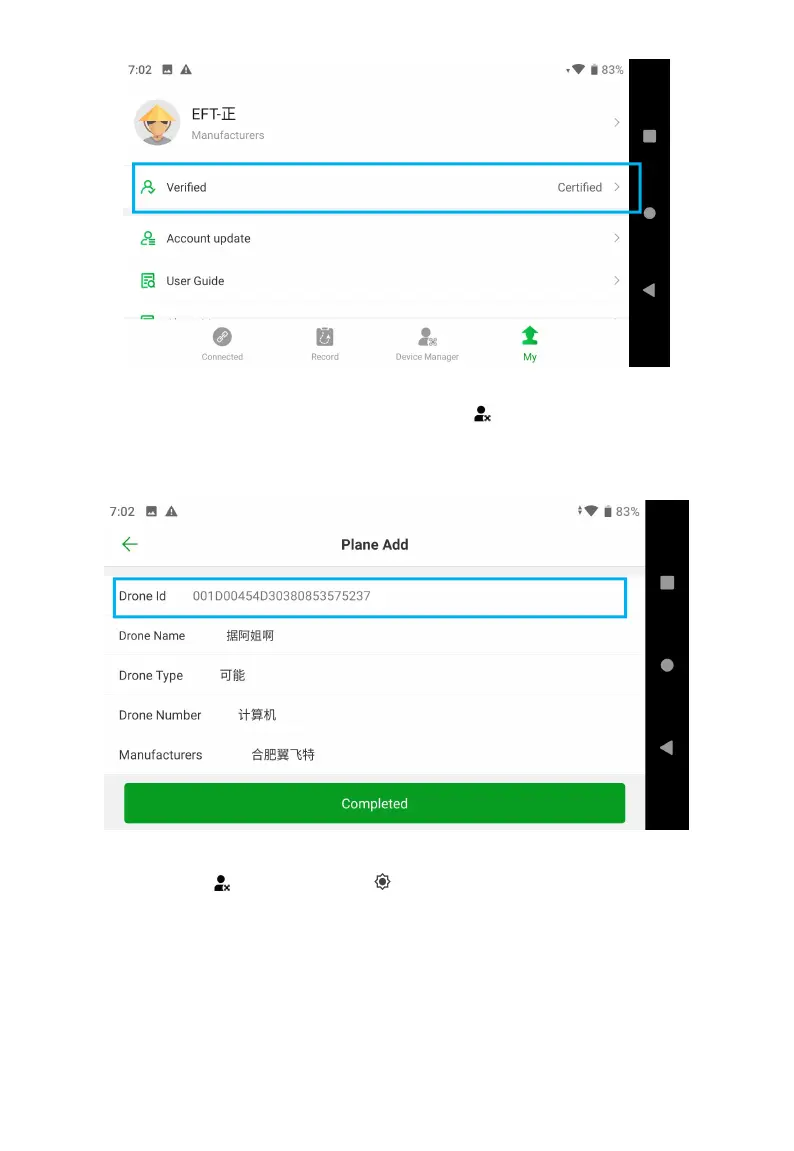
3. Plan Add
After the verification is successful, click Device Manager > Plan Add, the Drone ID will be
automatically identified, the Drone Name, Drone Type, and Drone Number can be customized ,
and fill in your direct supplier company to Manufacturers.
4. Activate Upgrade Account
Click Device Manager > Tool Management > Authentic Certification > Read > Verify, confirm
the statuses are activated.



 To Next Page