EasyManua.ls Logo

Ego Power+ ZERO TURN Z6 - Mower Status and Fault Codes; Status Indicators and Icons

Ego Power+ ZERO TURN Z6
Print Icon
To Next Page IconTo Next Page
To Previous Page IconTo Previous Page
Loading...
ZERO TURN RIDE-ON MOWER ZT4200E-S 71
EN
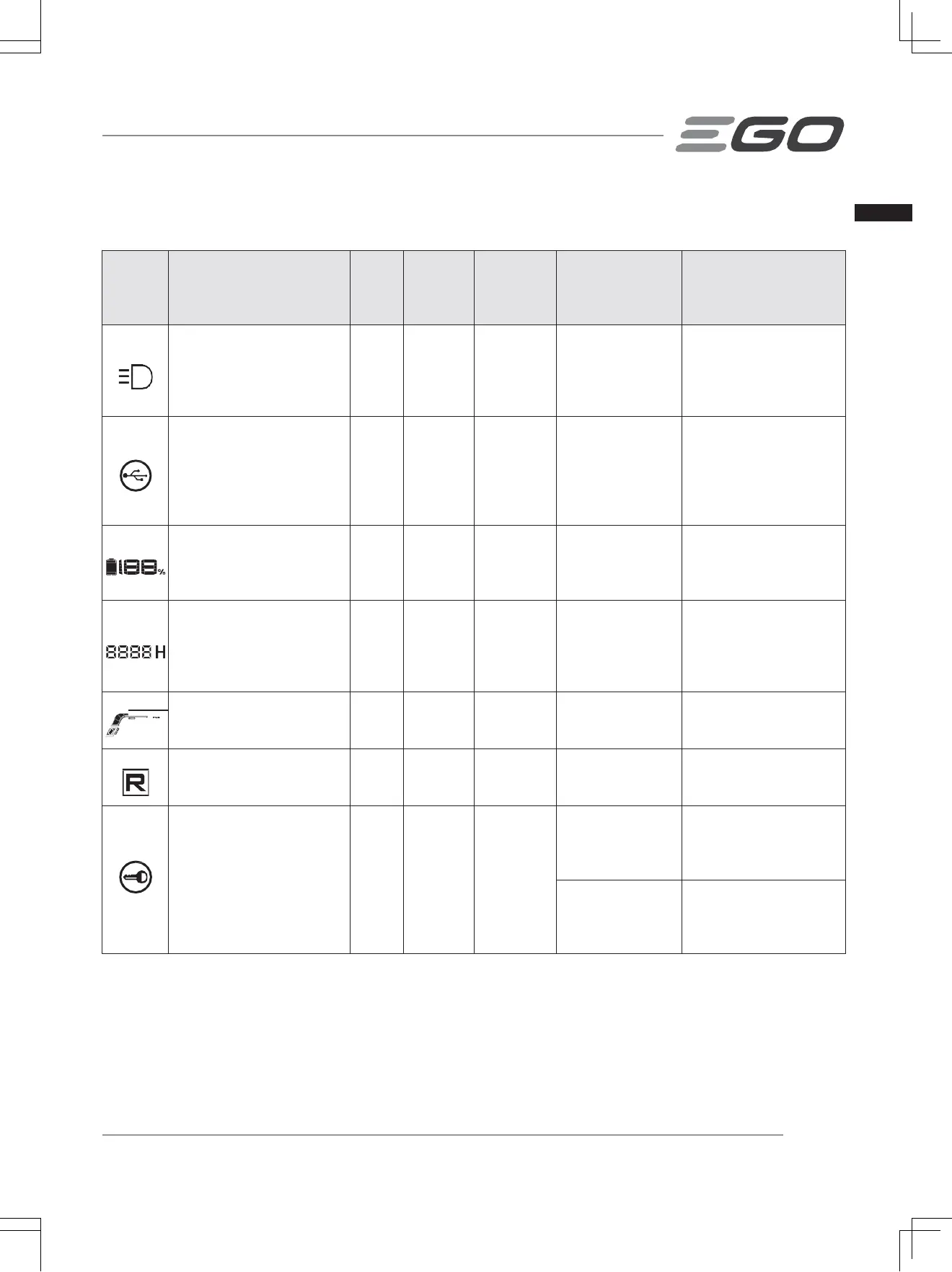
MOWER STATUS REFERENCE & FAULT CODE
LCD
Display
Description
Fault
Cod
e on
LCD
Mower
Status
Indicator
Beeper Cause Solution
LED lights Icon shows
on the LCD screen.
n/a OFF No
The headlights,
sidelights, and
rear lights are
turned on by the
LED light switch.
This is normal
operation. No action is
needed.
USB Icon shows on
the LCD screen.
n/a OFF No
USB icon
illuminates that a
USB device can
work after the
mower is started
correctly.
This is normal
operation. No action is
needed.
Fuel Gauge Icon shows
on the LCD screen.
n/a OFF No
It indicates the
average charge
capacity of
inserted batteries
This is normal
operation. No action is
needed.
Hour Meter Icon shows on
the LCD screen.
n/a OFF No
It shows the total
driving time of
mower, in hours
and cannot be
reset.
This is normal
operation. No action is
needed.
Load indicator Icon shows
in the ECO range.
n/a OFF No
It indicates the
current load of
the mower.
This is normal
operation. No action is
needed.
Reverse Icon shows on
the LCD screen.
n/a OFF No
It indicates the
mower is driving
backward.
This is normal
operation. No action is
needed.
Safety key icon blinks. n/a OFF No
The safety key is
not inserted.
Insert the safety key
then press and hold the
START/STOP button to
turn on the mower.
Key Control
Panel Box
Assembly is
broken.
Have repairs performed
by a qualified service
technician.

Related product manuals