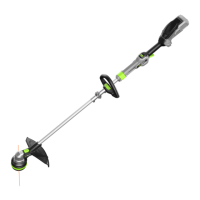
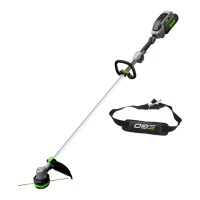
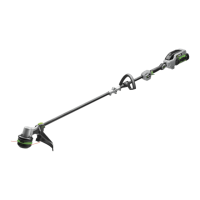
56 VOLT LITHIUM-ION CORDLESS LINE TRIMMER — ST1510E14
1. Remove the battery pack.
2. Remove the remaining cutting line, if necessary.
Simply pull it out by hand.
3. Cut one piece of cutting line (4m) long. Insert the line
into the eyelet (Fig. P) and push the line until the end
of the line comes out of the opposite eyelet.
Fig. P parts description see below:
P-1 Cutting Line P-3 Eyelet
P-2 Lower Cover
4. Remove the battery if it has been mounted onto the
line trimmer in previous step.
5. Pull the line from the other side until equal lengths of the
line appear on both sides of the trimmer head (Fig. Q).
6. Install the battery pack onto the string trimmer.
Press and hold the line-loading button to start the
line-winding motor. The line will be wound into the
trimmer head continuously (Fig. R).
7. Watch the remaining line length carefully. Prepare to
release the button as soon as approximately 18cm
of line are left on each side. Briey press the line-
loading button to adjust the length until 14cm of the
line is showing on each side.
8. Push down on the trimmer head while pulling on the
lines to manually advance the line in order to check
for proper assembly of the cutting line.
NOTICE: In case the line is pulled into the trimmer head
by accident, open the head and pull the cutting line
out from the spool. Follow the section “RELOAD THE
CUTTING LINE” in this manual to reload the line.
RELOAD THE CUTTING LINE
When the cutting line breaks from the line outlet or the
cutting line is not released when the trimmer head is
tapped, follow the steps below to remove the remaining
cutting line and reload the line.
1. Press the two release tabs on the trimmer head and
remove the trimmer head by pulling it straight out
(Fig. S-1 & S-2).
2. Remove the cutting line from the trimmer head and
insert the spring into the slot in the lower cover
assembly (Fig. T).
3. With one hand holding the trimmer, use another hand
to grasp the lower cover assembly and align the
slots in the lower cover assembly with the release
tabs. Press the lower cover assembly until it snaps
into place, at which time you will hear a distinct click
sound (Fig. U).
4. Following the instructions in " LINE REPLACEMENT "
to reload the cutting line.
Fig. S1 & T & U parts description see below:
S1-1 Lower Cover Assembly U-1 Release Tab
S1-2 Release Tab U-2 Slot
T-1 Spring
TRIMMER HEAD REPLACEMENT
WARNING: If the head loosens after it is xed in
position, replace it immediately. Never use a trimmer with
a loose cutting attachment. Replace a cracked, damaged
or worn out cutting head immediately, even if damage
is limited to supercial cracks. Such attachments may
shatter at high speed and cause serious injury.
Remove the trimmer head
1. Remove the battery pack from the line trimmer.
2. Press the release tabs on the trimmer head and
remove the lower cover assembly of the trimmer
head by pulling it straight out
(see Fig. S1 & S2).
3. Remove the cutting line from the trimmer head (Fig. V).
4. Take the spring out of the spool assembly, if
necessary. Save it for reassembly.
5. Wear gloves. Use one hand to grasp the spool
assembly to stabilize it, and use the other hand
to hold an impact wrench to loosen the nut in a
counterclockwise direction (Fig. W).
6. Remove the nut, washer, spool assembly and upper
cover from the motor shaft (Fig. X).
7. Use circlip pliers to remove the circlip. Remove the
fan assembly (Fig. Y).
8. Replace with a new trimmer head and mount it in
following steps.
Fig. W & X & Y parts description see below:
W-1 Impact Wrench X-4 Nut
X-1 Upper Cover Y-1 Fan Assembly
X-2 Spool Assembly Y-2 Circlip
X-3 Washer
Install the new trimmer head
1. Align the key slot in the fan assembly with the spline
in motor shaft and mount the fan assembly into place
(Fig. Z).
2. Mount the circlip, upper cover, spool assembly, and
washer in that order. Use an impact wrench on the
nut to tighten it.



 To Next Page