EasyManua.ls Logo

EGO ST1520S - User Manual

Default Icon
108 pages
Print Icon
To Next Page IconTo Next Page
Loading...
OPERATOR'S MANUAL
56-VOLT LITHIUM-ION
CORDLESS
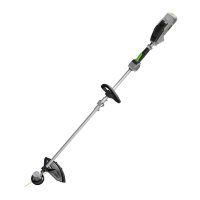
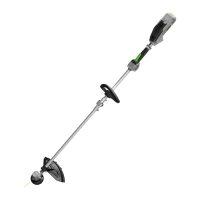
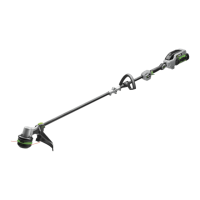
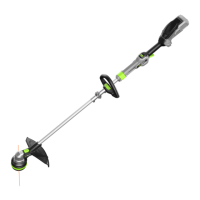
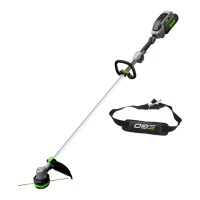
15" STRING TRIMMER
MODEL NUMBER
ST1520 (STRAIGHT SHAFT)
ST1520S (HINGED SHAFT)
WARNING: To reduce the risk of injury, the user must read and understand the
Operator’s Manual before using this product. Save these instructions for future reference.
Español p. 73
Français p. 35
17-0906_EGO_ST1520 & ST1520S_StringTrimmer_manual_NA_V1

Questions and Answers

  • C
    Crystal PowersAug 18, 2025
    Why won't my EGO Trimmer start?
    • K
      Kimberly HuntAug 18, 2025
      Your EGO Trimmer might not start for several reasons. First, ensure the battery pack is properly attached. If it is, remove the battery and check for any obstructions or damage to the contacts, then re-install it. Also, the battery pack may be depleted and needs charging. Finally, make sure you are pressing down the lock-off button and holding it while depressing the switch trigger simultaneously.
  • K
    Kevin DavisAug 20, 2025
    Why does my EGO ST1520S Trimmer fail to start?
    • S
      Steven ObrienAug 20, 2025
      If your EGO Trimmer fails to start, there are several potential reasons: * The battery pack might not be properly attached. Ensure it is securely connected to the trimmer. * There may be no electrical contact between the trimmer and the battery. Remove the battery, inspect the contacts, and then re-install the battery pack. * The battery pack could be depleted. Charge the battery pack. * The lock-off button and switch trigger might not be engaged correctly. Press down and hold the lock-off button, then depress the switch trigger to activate the trimmer.
  • M
    Megan SellersAug 23, 2025
    Why can't I wind the cutting line into my EGO Trimmer head?
    • U
      uthomasAug 23, 2025
      If the cutting line cannot be wound into the trimmer head properly on your EGO Trimmer, consider the following: * The cutting line might be too long. Cut the line so that about 5.5 inches (14cm) is showing on each side. * You might be using an improper cutting line. It is suggested that you use EGO original nylon cutting line. * Grass debris or dirt may have accumulated in the trimmer head, blocking the movement of the line spool. Remove the battery, open the trimmer head, and clean it thoroughly. * The motor might be overheated due to repeatedly operating the line winding system. Let the string trimmer work under no load for a few minutes to cool the motor, then try to reload the line. * The battery could be low. Charge the battery.
  • C
    Claudia WilliamsAug 26, 2025
    How to fix an EGO ST1520S head that won't advance line?
    • P
      Pamela LunaAug 26, 2025
      If your EGO Trimmer head won't advance the line, it could be due to a few reasons. First, the motor shaft or trimmer head might be bound with grass; stop the trimmer, remove the battery, and clean them. Alternatively, there might not be enough line on the spool, or the line is breaking at the eyelet. In this case, remove the battery and replace the cutting line. Also, the line could be tangled; remove the battery, take out the line, and rewind it. Lastly, the line might be too short; remove the battery and manually pull the lines while pressing down and releasing the trimmer head.
  • M
    Maxwell RobertsAug 27, 2025
    Why is the cutting line not winding into the EGO ST1520S head properly?
    • D
      Dr. Robert JonesAug 28, 2025
      If the cutting line isn't winding properly into your EGO Trimmer head, several factors could be at play. The cutting line might be too long; cut it so about 5.5 in. (14cm) is showing on each side. Alternatively, you might be using an improper cutting line. Grass debris or dirt could have accumulated in the trimmer head, blocking the line spool's movement; remove the battery, open the trimmer head, and clean it thoroughly. The motor might be overheated due to repeatedly operating the line winding system; let the trimmer work under no load for a few minutes to cool the motor, then try to reload the line. Finally, the battery could be low; charge the battery.
  • J
    Joseph HurleyAug 30, 2025
    What to do if the cutting line cannot be passed through the EGO Trimmer head?
    • C
      coxantonioAug 30, 2025
      If the cutting line cannot be passed through the trimmer head when inserting the line, it may be because the cutting line is split or bent at the end. Cut the worn end of the line and reinsert it. Another reason may be that the lower cover is not released to position after reinstalling. Attach the battery pack onto the trimmer; press the line loading button to briefly start the power loading to release the lower cover.
  • E
    Elizabeth GonzalezSep 1, 2025
    What to do if cutting line won't pass through my EGO ST1520S Trimmer head?
    • J
      joseph73Sep 1, 2025
      If the cutting line cannot be passed through the trimmer head when inserting the line on your EGO Trimmer: * The cutting line might be split or bent at the end. Cut the worn end of the line and reinsert it. * The lower cover might not be released to position after reinstalling. Attach the battery pack onto the trimmer and press the line loading button to briefly start the power loading to release the lower cover.
  • M
    Michael BentleySep 5, 2025
    How to prevent grass from wrapping around my EGO ST1520S head?
    • J
      Janet GriffithSep 5, 2025
      To prevent grass from wrapping around your EGO Trimmer head and motor housing, avoid cutting tall grass at ground level. Instead, cut tall grass from the top down, removing no more than 8 inches in each pass.
  • B
    Brian Acevedo PhDSep 8, 2025
    Why is the blade on my EGO Trimmer not cutting the line?
    • A
      Aaron GarciaSep 8, 2025
      If the blade on your EGO Trimmer is not cutting the line, the line-cutting blade on the edge of the guard may have become dull. Sharpen the line-cutting blade with a file or replace it with a new blade.
  • M
    Megan FosterSep 10, 2025
    What causes cracks on the EGO ST1520S head?
    • G
      Gilbert MedinaSep 12, 2025
      Cracks on the trimmer head or a loose spool retainer can be caused by a worn-out trimmer head. Also, the nut that locks the trimmer head can be loose; open the trimmer head and use an impact wrench to tighten the nut.

Summary

Important Safety Information

California Proposition 65 Warning

Warning regarding chemicals in dust from construction activities causing cancer or reproductive harm.

Safety Symbols and Warnings

Safety Symbols and Instructions

Important Safety Precautions

Electrical & Hearing Safety

Warnings against electric shock and need for hearing protection.

Work Area & Personal Safety

Guidelines for children, environment, dress code, and alertness.

Important Safety Precautions (Cont.)

Pre-Use Checks & Handling

Check parts, clear area, hold firmly, avoid accidental start.

Cutting Line & Work Support Safety

Use nylon line, do not work on ladders, keep attachment low.

Operational Hazards & Maintenance

Avoid hazardous atmospheres, handle damage/vibration, check cutting attachment.

Battery & Charger Safety

Handle, charge, and dispose of batteries properly; use correct chargers.

Introduction and Specifications

Key Product Specifications

Lists voltage, speed, mechanism, line type, width, and weight.

Description: String Trimmer Overview

Trimmer Components Identification

Identifies parts: Rear Handle, Lock-Off Button, Trigger, Guard, etc.

Assembly: Unpacking and Warnings

Assembly Warnings

Do not operate with damaged/missing parts, do not modify, remove battery.

Assembly: Unfolding the Shaft (ST1520 S Only)

Shaft Unfolding Warnings

Avoid pinching fingers, do not start until shaft is locked.

Assembly: Mounting the Guard

Guard Mounting Warning

Wear gloves, be careful of the blade on the guard.

Operation: Getting Started

Operation Warnings

Do not be careless, wear eye/hearing protection, use recommended accessories.

Battery Pack Installation;Removal

Remove battery before assembly/cleaning/storage; fully charge before first use.

Operation: Battery Pack Management

Removing Battery Pack Warning

Be aware of surroundings, never remove at a high location.

Operation: Holding and Starting

Holding the String Trimmer

Dress properly, wear protection, hold with both hands, trimmer parallel to ground.

Starting and Stopping Procedure

Ensure footing, stand upright, hold with both hands, check line position.

Operation: Starting, Stopping, and Usage

Starting the String Trimmer

Press lock-off, press trigger; speed controlled by trigger pressure.

Stopping the String Trimmer

Release the switch trigger.

General Usage Warnings

Remove battery during breaks/after work, wear eye/face protection.

Pre-Use Area Clearing

Clear objects, keep children/pets 100 ft away, bystanders wear eye protection.

Operation: Pre-Use Checks and Trimming Tips

Pre-Use Part Check

Check head, guard, handle for damage; replace worn parts.

Best Trimming Results

Use correct angle, don't force, cut progressively, trim dry grass.

Operation: Cutting Line Management

Operation: Line Replacement (Cont.)

Operation: Reloading the Cutting Line

Maintenance: Overview and Trimmer Head

Maintenance Warnings

Use identical parts, remove battery, take precautions.

Maintenance: Blade Sharpening and Storage

Troubleshooting: Starting Issues

Troubleshooting: Stopping Issues

Troubleshooting: Line Feed and Cutting Issues

Troubleshooting: Cutting Line Issues

Warranty Information

Warranty: Service and Limitations

EGO ST1520S Specifications

General IconGeneral
Cutting Swath15 inches
Line Diameter0.095 inches
Feed TypeBump Feed
Battery Voltage56V
Motor TypeBrushless
Power SourceBattery
Adjustable HandleYes
Warranty5 years
Line FeedBump

Related product manuals