15
16
Operate Desktop Console (Sold Separately)
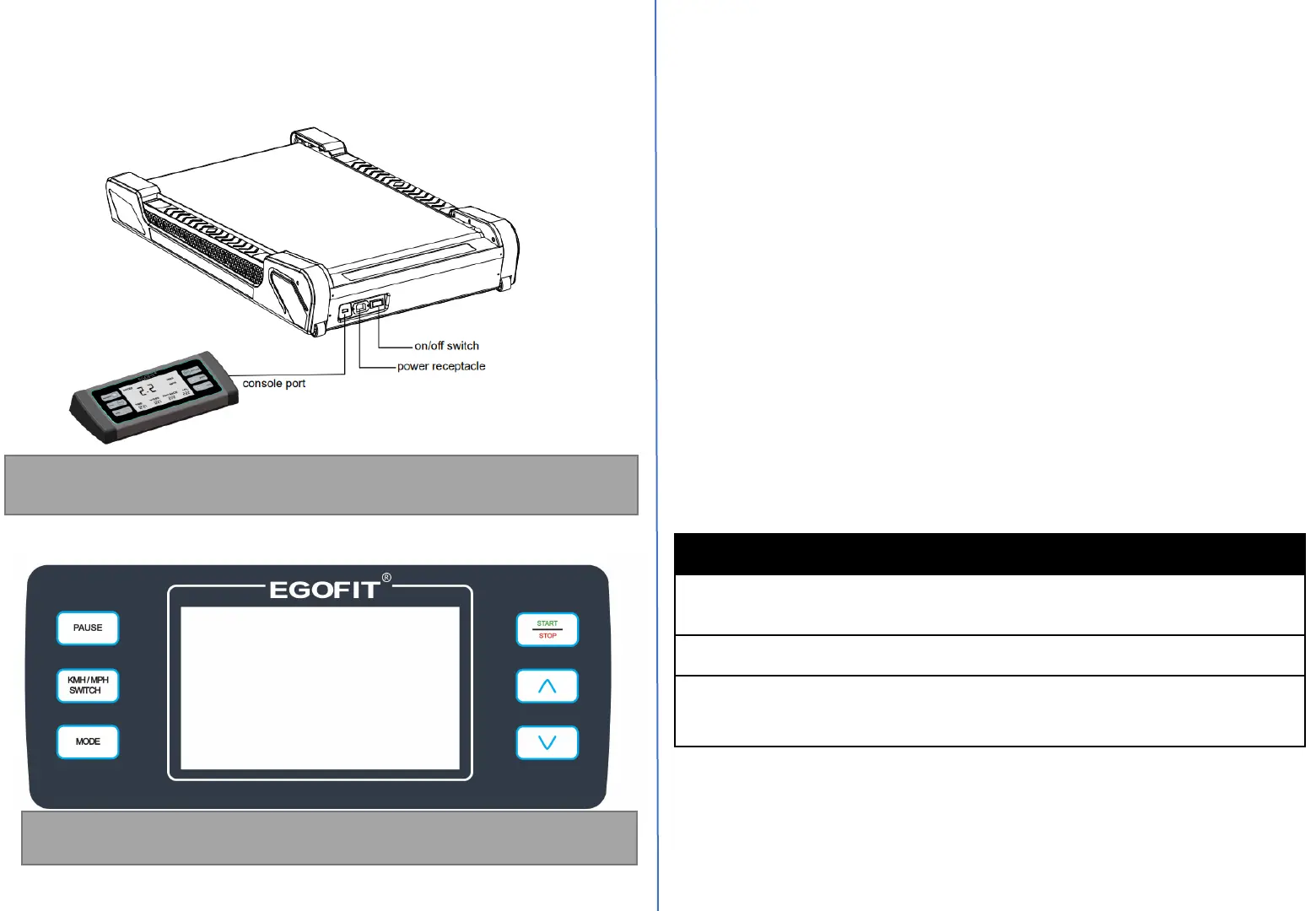
After assembling the Treadmill, roll it to the desired location. Plug the
console connector into the connector coming from the front bottom of
the Treadmill.
Noted: Do not plug the power cord into the equipment until the
console is connected.
Desktop Console Overview & Specifications
①
②
③
④
⑤
⑥
Noted: Desktop Console is an option gadget not included in the
package, needs purchase separately.
Console Power Buttons
1. Start/Stop: In standby or paused status, press this button to start the
treadmill, In the running status, press this button to stop the treadmill.
2. Pause: In the running status, press this button to pause the treadmill.
The TIME window displays "PAU", the SPEED window displays "1.0KM/H"
or "0.6MPH", and the other windows display relevant workout data.
3. KMH/MPH Switch: In standby mode, press this button to switch the
display readouts for speed between metric and Imperial readouts
4. Mode: In standby mode, press this button to cycle through manual
mode, time countdown mode, distance countdown mode and calories
countdown mode..
5. “Ʌ”Speed Up: Increase speed, Each adjustment range is 0.1KM/H or
0.1MPH.
6. “V”Speed Down: Decrease speed, Each adjustment range is 0.1KM/H or
0.1MPH.
Console Treadmill Desk
Readouts Time, Steps, Calories, Distance,
Speed.
Display LED
Buttons Start/Stop, Pause, KMH/MPH
Switch, Mode, Speed Up/Down


 To Next Page