3.GHOST
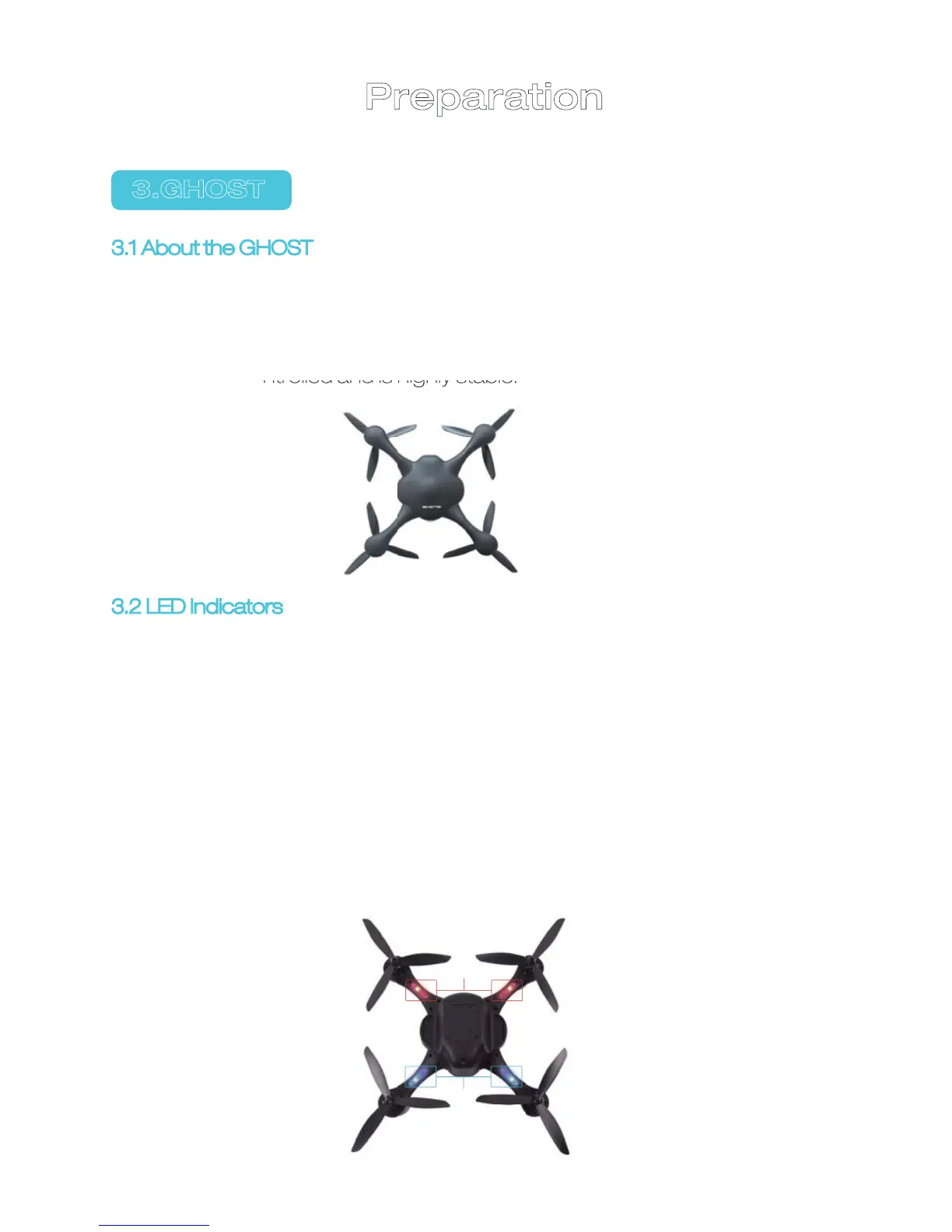
3.2 LED Indicators
1)There are red and blue indicators; Red indicates forward and
blue indicates backward;
2)Blue indicator is on when GHOST is searching for GPS
satellite;
3)Blue indicator stays on. Takeoff requires 6 or more available
GPS satellites.
4)When red indicator is on: It flickers before take-off, indicating
the GHOST is in normal state; it flickers during flight, indicating
there is something wrong with electricity consumption and
you must pay attention to low battery;
5)Red indicator stays on when GHOST is unlocked or during
flight.
3.1 About the GHOST
GHOST (without Gimbal and camera) has a built-in GHOST flight controller
and can move forwards, backwards, left, right, up and down, rotate or fly to a
certain point or make other movements controlled by a smartphone APP. It
can be easily controlled and is highly stable.
08
Red
Blue
Preparation


 To Next Page