2 . G-Box
2.1 About G-Box
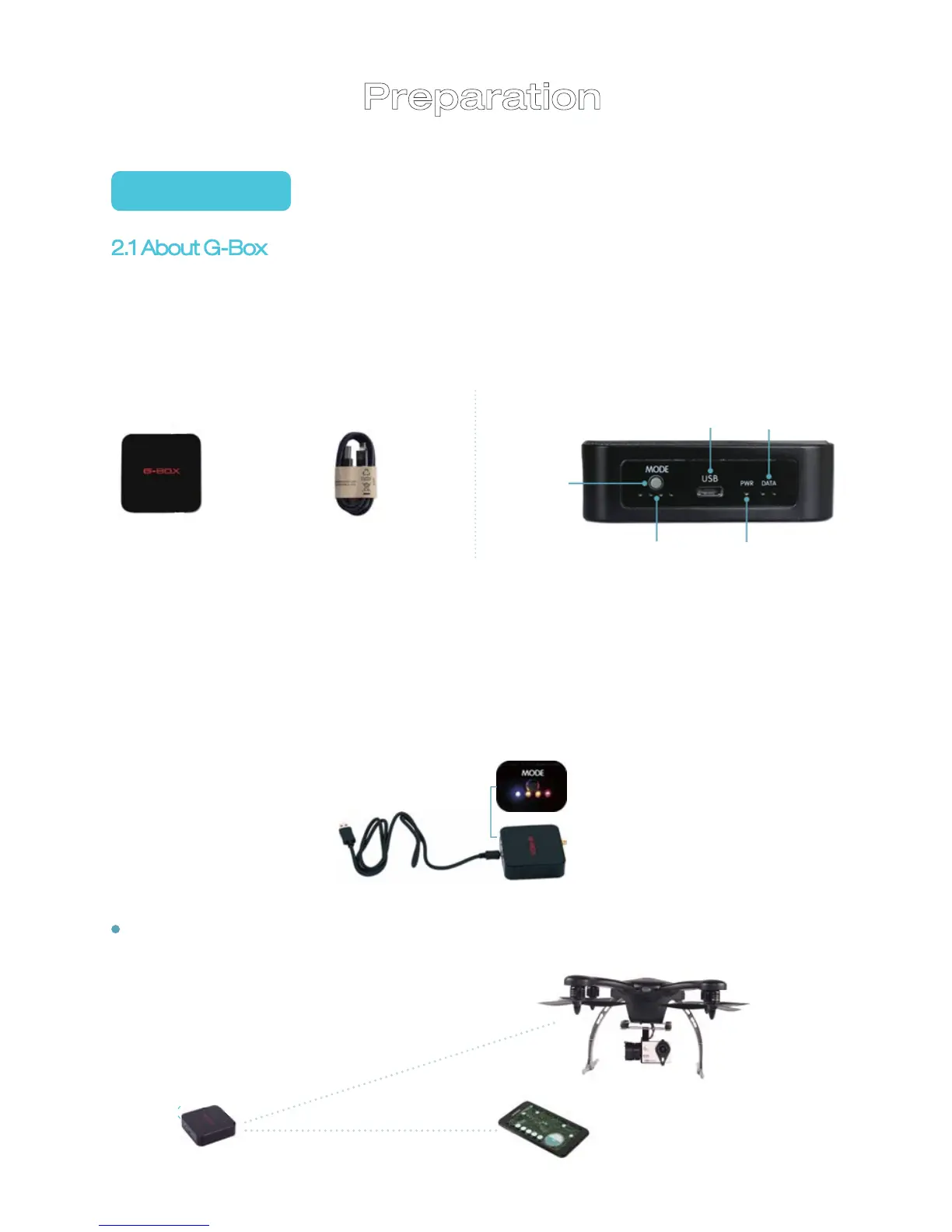
G-Box is a communication device specially designed for GHOST products.
Each GHOST is equipped with one G-Box;
Without G-Box, you cannot use GHOST APP on your smartphone to control
the GHOST; please keep the G-Box in good condition.
On: Tap the ON/OFF button
Off: Long press the ON/OFF button until the PWR light is off
Charging: Four indicators flicker in turn
Fully charged: Indicator on far left flickers; the other three are on
USB cable G-BOX
07
On/off
Charging cable port Data indicator
Charging indicator
Power
indicator
Smartphone App
G-BOX
GHOST
G-Box is connected to
GHOST through radio wave
Smartphone App is connected
to G-Box
Preparation
After it is fully charged, connect G-Box and smartphone APP through
Bluetooth on your smartphone.


 To Next Page