5
Using your
player/recorder
Playing a recorded
cassette
After
se
tting up your player/recorder
by installing batteries or by plugging in
the AC power cord (See
Pag
e 4), you
can
play recorded cassettes by follow-
ing these
thr
ee
easy steps.
1.
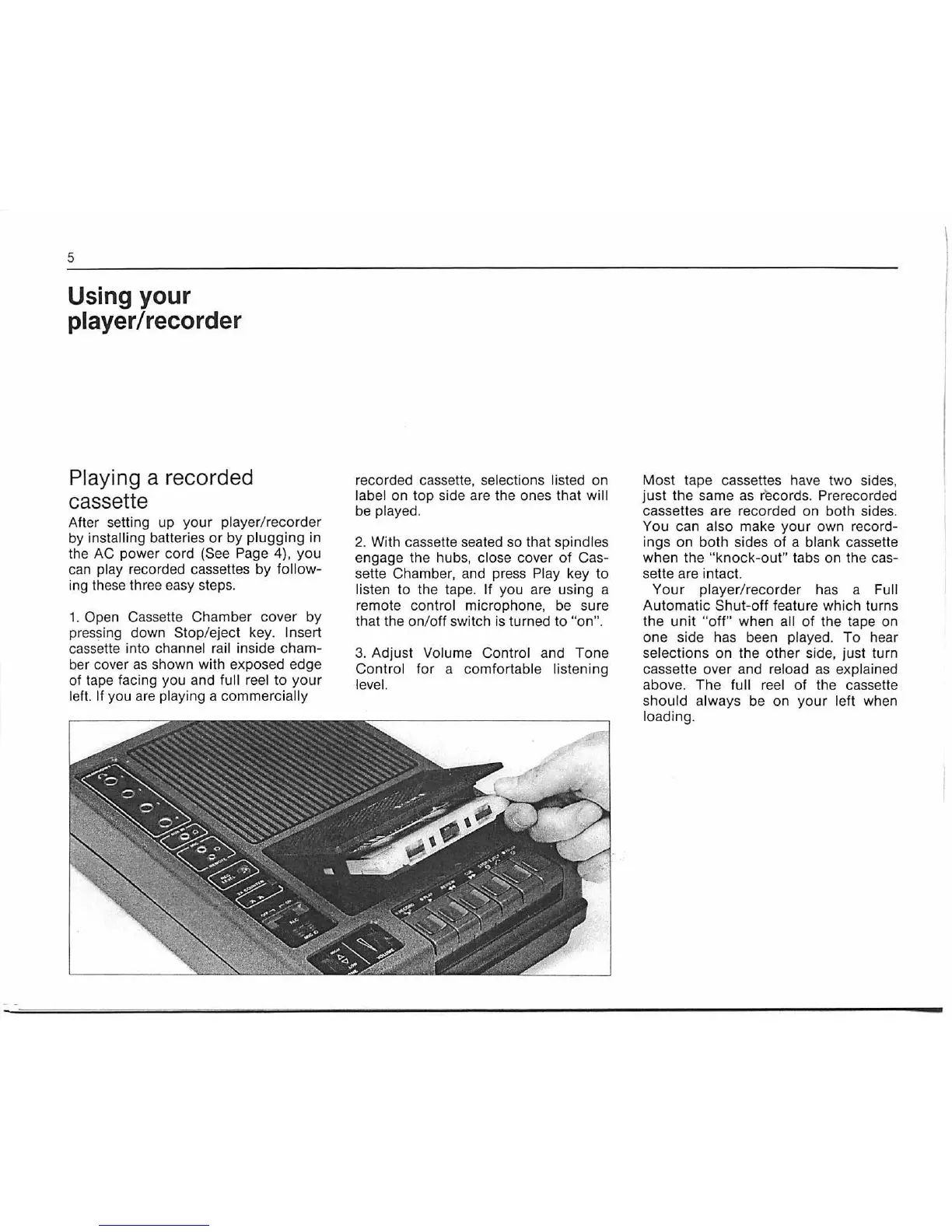
Open Cassette Chamber cover by
pressing down Stop/eject key. In
se
rt
cassette into channel rail inside cham-
ber cover
as
shown with exposed edge
of tape facing you and full r
ee
l
to
your
lef
t.
If you
are
playing a commercially
re
corded cassette, selections listed on
label on top side are the ones that will
be
played.
2.
With cassette seated
so
that spindles
engage the hubs, close cover
of
Cas-
sette Chamber, and press
Pl
ay key to
listen
to
the tap
e.
If you are using a
remote
control microphon
e,
be
su
re
that the on/off switch is turned to
"on".
3.
Adjust
Vo
lume Control and Tone
Control for a comfortable listening
le
ve
l.
Most tape cassettes have two sides,
just the same as records.
Pre
recorded
cassettes are recorded on both sides.
You can also make your own
re
cord-
ings on both sides of a
blank cassette
when the
"k
nock-out" tabs on the cas-
sette are intact.
Your
play
er
/recorder has a
Fu
ll
A
ut
omatic Shut-off feature which turns
the unit
"o
ff
" when all of the tape on
one side has
bee
n played. To hear
selections on the other side, just turn
cassette over and
reload as explained
above. The full reel
of
the cassette
should always
be
on your left when
loading.


 To Next Page