Using review and
c
ue
keys
Af
te
r playing a tape and with the tape
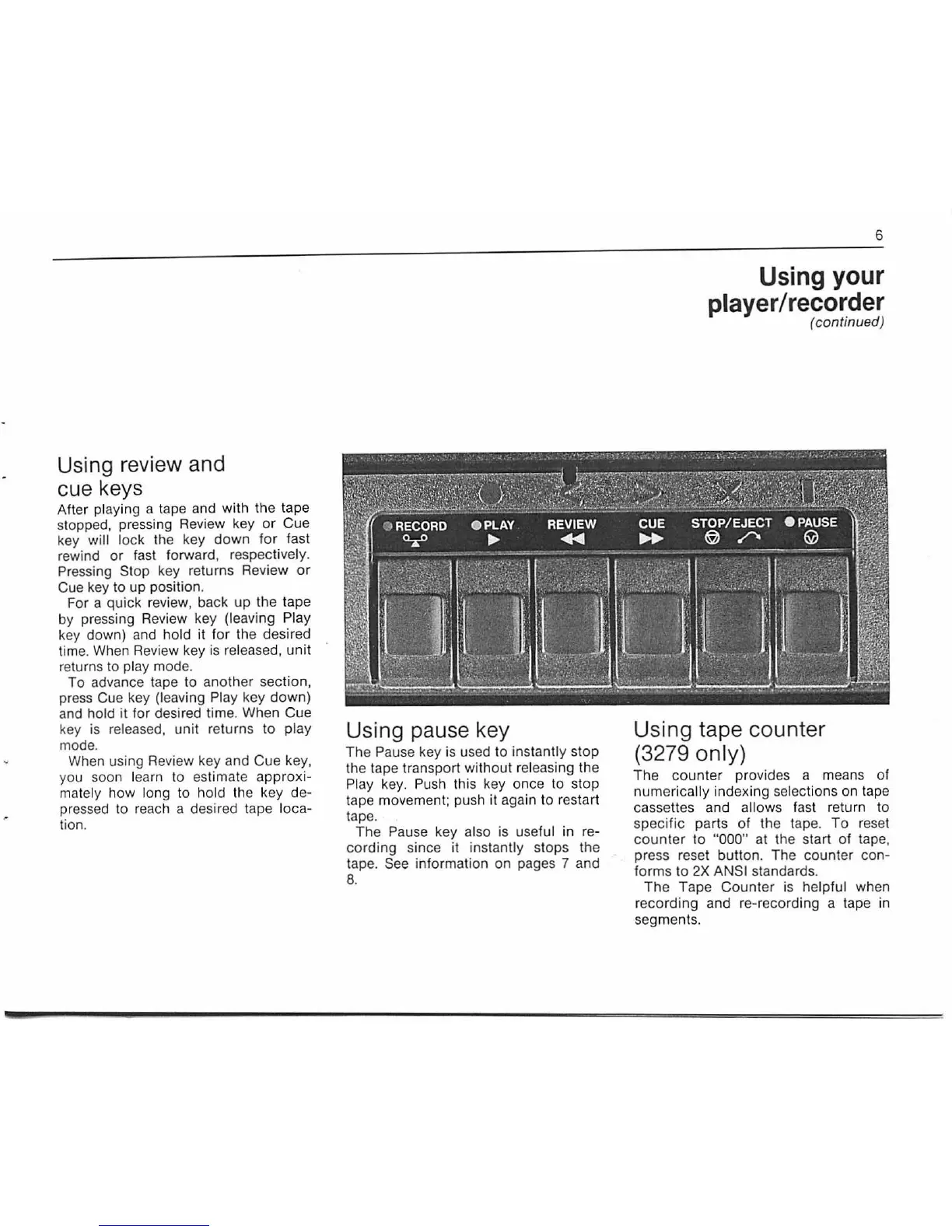
stopped, pressing
Rev
iew key
or
Cue
key
will lock the key down
for_
fast
rewind
or
fast forward, respecti
ve
l
y.
Pressing Stop key returns Review or
Cue
key
to up position.
For a quick
rev
iew, back up the tape
by pressing Review key
(leaving
~
lay
key down) and hold it for the desire?
time. When Review key is released,
unit
returns to play mode.
To advance tape to another section,
press Cue key
(leaving
Pl
ay key down)
and
hold
it
for desired ti
me.
When Cue
key is
released, unit returns to play
mode.
When using Review key and Cue
ke~,
you soon learn to
es
timate approxi-
ma
tely how long to hold the key de-
pressed to reach a desired tape
loca-
tion.
Using pause key
The Pause key is used
to
instantly stop
the tape t
ra
nsport without releasing the
Play key. Push this key once to stop
tape movement; push it again to restart
tape.
The Pause key
also is useful in re-
cording since it
instantly stops the
tape.
See
information on pages 7 and
8.
6
Using
your
player/recorder
(continued)
Using tape counter
(3279 only)
The counter provides a means of
numerically indexing
se
lections on tape
cassettes and
allows f
as
t
re
turn to
specific parts of the tape.
To
reset
co
unter
to
"000" at the start of tape,
press reset button. The counter con-
forms
to
2X
ANSI standards.
The Tape Counter is helpful when
recording and re-recording a tape in
segments.


 To Next Page