2
Congratulations on your new Mobi View. Mobi View will help you create a highly
interactive and collaborative learning environment for you and your students.
Mobi View, the sixth generation in the series, includes an easy-to-use touchscreen.
This adds a whole new dimension of convenience, functionality, and control.
Powered by eInstruction’s award-winning Workspace™ software, Mobi View
enables interaction with lesson materials from virtually any source, including
publishers’ content from more than 8,000 textbook titles.
Take advantage of Mobi View’s multi-user mode and optional Mobi Learner
student tablets to allow up to nine students or teams to collaborate at one time!
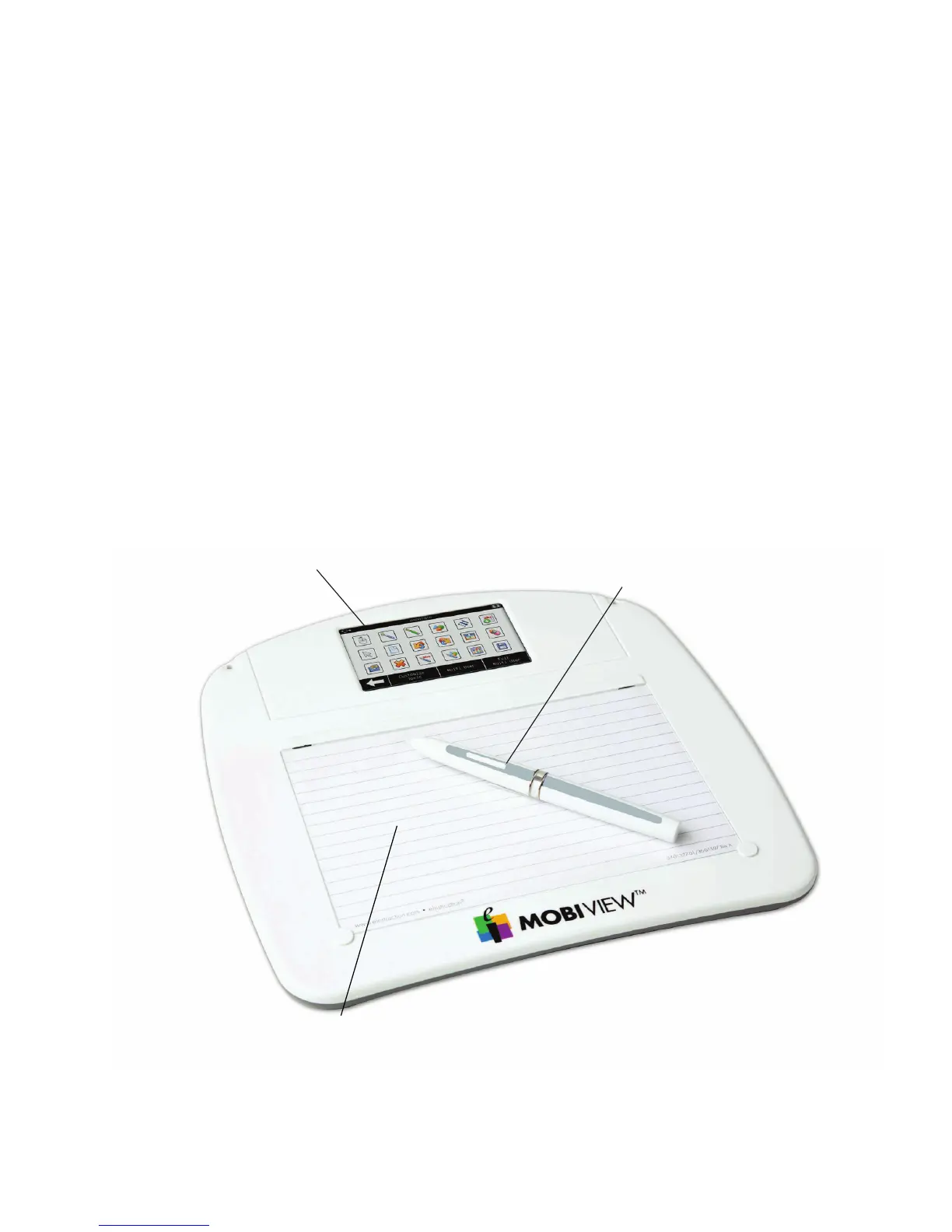
Mobi View At-a-Glance
Active writing area doubles
as a remote mouse pad.
Interactive touchscreen provides
one-click access to annotation
tools, notes, favorites, keyboard,
reports, and custom settings.
Mobi View pen doubles as a
remote mouse. Clicking the pen tip
simulates a left-click; clicking the
top of the rocker button simulates a
right-click.
Mobi View at-a-glance


 To Next Page