CC-1194ENG-01
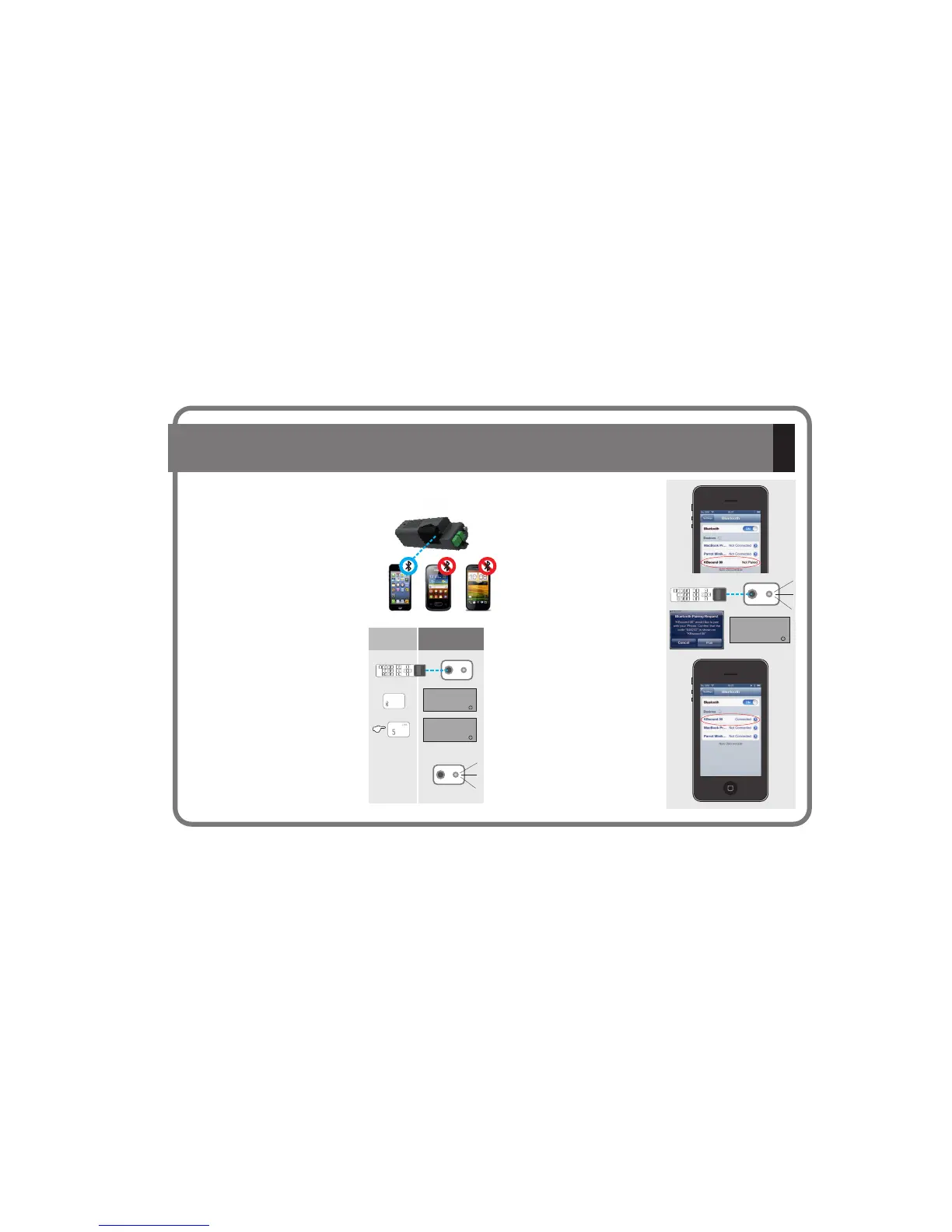
5.2.- Pairing a new Bluetooth device
Before being able to stream music from
a Bluetooth device to our
kits it is necessary to pair the
accessory. This operation
only needs to be carried out once with
each device.
Make sure that during the entire
operation there is only one Bluetooth
device within the range of coverage of
the .
The Remote Control must be
pointing directly at the IR receiver of the
.
Select the Bluetooth key option.
Press the 5 key on the Remote Control
for aproximately 6 seconds. “Link” will
appear in the display.
The IR led will flash in blue, and will
remain in this state until the pairing
operation is completed, or a maximum
of 3 minutes.
KB
Bluetooth
KB Bluetooth
KB Bluetooth
SOUND
SOUND
SOUND
®
®
® ®
® ®
Key
Sequence
Display
Access the Bluetooth menu of your
device
In the device select the KBsoundXX
(00,01,02...) option.
Check that the code indicated on the
device matches the code displayed
on the Remote Control.
Note: To get this code the Remote
Control must be pointing directly at
the IR receiver.
The pairing process will be carried
out successfully when the IR blue led
stops flashing and “connected”
appears in the display of the
Bluetooth device.
Some Bluetooth devices may
optionally request a password to
confirm the link.
In such cases, dial 0000.
iPOD
BT
6”
DISCONNECT
LINK
048233
DAB iPOD
AUDIOIN
DAB iPOD
AUDIO IN
11


 To Next Page
 Loading...