CC-1194ENG-01
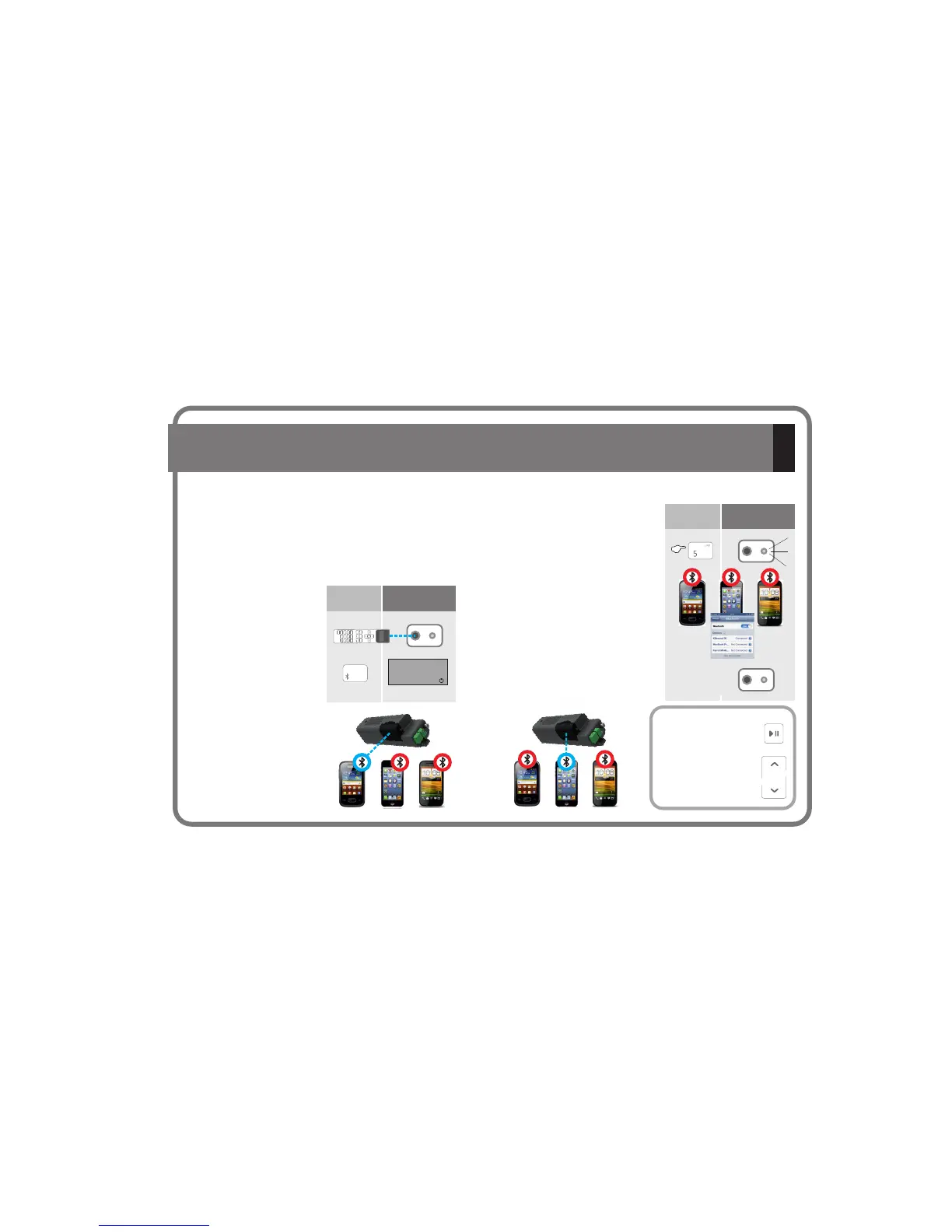
5.3.- Transmit audio to a KB BluetoothSOUND
® ®
from multiple Bluetooth devices
If you want to transmit audio from a different
Bluetooth device, press the 5 key on the
Remote Control for 6 seconds, after which the
will be freed from
any previous pairing.
Activate the Bluetooth of the new device you
wish to connect with and then select the
with which you
wish to pair (e.g. KBsound 01).
The pairing will have been carried out
successfully when the IR blue led stops
flashing.
KB Bluetooth
KB Bluetooth
SOUND
SOUND
® ®
® ®
Make sure that during the entire
operation the Remote Control is
pointing directly at the IR
receiver of the
and the Bluetooth
device is within the range of
coverage.
Select the Bluetooth key on the
Remote Control.
The kit searches for the last
Bluetooth device with which it
was paired and, if found within
its range of coverage, it will
continue to be paired
automatically.
KB
Bluetooth
SOUND
®
®
Key
Sequence
Display
iPOD
6”
BT
Key
Sequence
Display
Several Bluetooth devices can share the same
, although only one can transmit audio at any time.
To make this possible, it is necessary to have paired all Bluetooth
devices with the .
(see chapter 5.2)
KB
Bluetooth
KB Bluetooth
SOUND
SOUND
®
®
® ®
DAB iPOD
AUDIOIN
From the Remote Control
you can select the options
PLAY /PAUSE by pressing
the button
Go forward and backward
through the music list
pressing the keys
12



 To Next Page
 Loading...