EIT Part Number: P/N IM-0110 Rev A Issued April 2019
Page 8
Error Messages
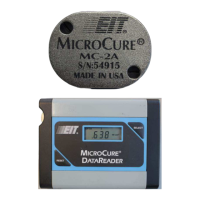
The DataReader displays error messages to indicate a problem with the Reader or the MicroCure radiometer.
If "---" is displayed, communication between the MicroCure and the DataReader has failed. Re-insert the MicroCure
into the DataReader and retry.
If "LO BATT" is displayed, the MicroCure battery is low. If this occurs within a 200-reading/ 1-year period from date of
purchase, the unit or battery may be defective. The battery in the MicroCure is not user replaceable. Please contact
EIT for assistance.
When the DataReader's battery is low, it will scroll "LO" ten times and then shut down. The battery in the DataReader
is user replaceable. Refer to the Maintenance section of this manual for replacement instructions.
If the DataReader displays a numeric error code, contact EIT for assistance.
High Speed Data Collection Applications
The MicroCure
uses a sampling rate of 2048 samples per second. This allows the MicroCure to gather a large number
of samples while moving or spinning past a UV source.
Unlike radiometers with slower sampling rates, irradiance values collected with the MicroCure should be consistent
when consistent data collection techniques are followed.
The irradiance values displayed by the MicroCure
®
are instantaneous peak irradiance values versus average/RMS
irradiance values.
When comparing readings, the irradiance values provided by the MicroCure are similar to the irradiance values collected
with EIT instruments used in the “Smooth Off” (instantaneous peak) mode versus “Smooth On” or “Smooth Profile”
(average peak) mode.
Contact EIT if you have any questions on samples rates or ‘smoothing’
Maintenance
The Following Guidelines are recommended for Cleaning the MicroCure Radiometer Optics
1. Establish a contaminant-free area for cleaning and gather the necessary supplies. Avoid cleaning the radiometer’s
optics with anything dry or abrasive (such as a cloth, towel or clothing).
2. Visually examine the instrument to determine if it needs cleaning.
3. Fingerprints, oils from your hands, lint, dust, or contamination on the optics window can increase or decrease the UV
values reported.
4. Carefully blow or brush loose particles away from the optics.
• Blowing on the optics with the mouth is not recommended; various components of saliva are extremely difficult
to remove from the optics.
• Handheld air bulbs to blow air are available from camera stores


 To Next Page