EasyManua.ls Logo

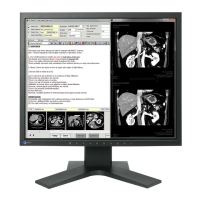
Eizo RadiForce RX211 - User Manual

Eizo RadiForce RX211
53 pages
Print Icon
To Next Page IconTo Next Page
Loading...
English Deutsch Français
中文
日本語
Important
Please read this User's Manual carefully to familiarize yourself with safe and effective
usage procedures. Please retain this manual for future reference.
Wichtig
Bitte lesen Sie diese Bedienungsanleitung sorgfältig durch, um sich mit dem sicheren
und rationellen Betrieb dieses Produkts vertraut zu machen. Bewahren Sie das
vorliegende Handbuch zu Referenzzwecken auf.
Important
Veuillez lire attentivement ce manuel d’utilisation pour utiliser pleinement votre appareil
en toute sécurité. Veuillez conserver ce manuel pour référence ultérieure.
重要
请仔细阅读用户指南,熟练掌握其安全和有效的操作程序。
请妥善保存此手册,供日后参考。
重要
ご使用前には必ず取扱説明書をよくお読みになり、正しくお使いください。
この取扱説明書は大切に保管してください。
1st Edition-March, 2008 Printed in Japan.
00N0L416A1
EIZO NANAO CORPORATION
153 Shimokashiwano, Hakusan, Ishikawa 924-8566 Japan
Phone: +81 76 277 6792 Fax:+81 76 277 6793
EIZO NANAO TECHNOLOGIES INC.
5710 Warland Drive, Cypress, CA 90630, U.S.A.
Phone: +1 562 431 5011 Fax: +1 562 431 4811
EIZO EUROPE AB
Lovangsvagen 14 194 61, Upplands Väsby, Sweden
Phone: +46 8 594 105 00 Fax: +46 8 590 91 575
EIZO NANAO AG
Moosacherstrasse 6, Au CH - 8820 Wädenswil, Switzerland
Phone: +41-0-44 782 24 40 Fax: +41-0-44 782 24 50
Avnet Technology Solutions GmbH
Lötscher Weg 66, D-41334 Nettetal, Germany
Phone: +49 2153 733-400 Fax: +49 2153 733-483
http://www.radiforce.com
(U.M-RX211)
This document is printed on recycled chlorine free paper.


Questions and Answers

  • M
    Michelle RuizAug 19, 2025
    Why is my Eizo RadiForce RX211 Monitor not detected via USB?
    • M
      Michael WilliamsAug 20, 2025
      If your Eizo Monitor is not detected or the USB devices connected to the monitor aren't working, verify that the USB cable is correctly connected and try a different USB port. Rebooting your PC might also resolve the issue. Consider connecting the PC and peripheral devices directly, and ensure that your PC and OS are USB compliant. Finally, check the PC’s BIOS settings for USB.
  • J
    Jamie FrederickAug 21, 2025
    What to do if my Eizo Monitor turns off while in use?
    • H
      Heather AdamsAug 21, 2025
      If your Eizo Monitor turns off while in use and no picture appears, try moving the installation location or changing the installation environment and turn the power on again after a few minutes. Ensure that the air vents are not blocked and that no high-temperature equipment is nearby.
  • C
    Cheyenne WalkerAug 25, 2025
    What does it mean when my Eizo RadiForce RX211 Monitor says signal out of range?
    • J
      Jeffrey HamiltonAug 25, 2025
      If the message appears on your Eizo Monitor when the signal is out of input range, try rebooting the PC. Alternatively, use the graphics board’s utility software to change the frequency setting.
  • L
    Lisa MedinaAug 26, 2025
    What to do if there is no picture and the indicator light is orange on my Eizo RadiForce RX211 Monitor?
    • T
      Timothy RoseAug 26, 2025
      If you see no picture and the indicator status is orange on your Eizo Monitor, try switching the signal input by touching the Input Signal Selection switch on the front control panel. You may also want to try pressing a key on the keyboard or clicking the mouse, or ensure that the PC is turned on.
  • K
    Kimberly LangAug 28, 2025
    Why is there no picture on my Eizo Monitor and the indicator is off?
    • L
      Laurie FuentesAug 28, 2025
      If you see no picture and the indicator status is off on your Eizo Monitor, check that the power cord is connected correctly. You can also turn off the monitor power for a few minutes, then turn it back on and try again. Another solution is to try touching the power switch to turn it on again.
  • J
    Jeffrey NortonAug 30, 2025
    Why is the ScreenManager main menu not working on my Eizo RadiForce RX211?
    • C
      Cheryl Lopez DDSAug 30, 2025
      If the ScreenManager main menu does not operate on your Eizo Monitor, make sure that the adjustment lock is off. Also, check that there is nothing left on the face of Enter switch. Wipe the control panel, and then touch the Enter switch again with dry finger. Ensure you are not wearing gloves; remove any gloves and try touching the switches again with dry hands.
  • A
    April HernandezSep 1, 2025
    Why does my Eizo RadiForce RX211 Monitor have defective pixels?
    • J
      James CoxSep 1, 2025
      If the screen has defective pixels (e.g. slightly light or dark) on your Eizo Monitor, this is due to the characteristics of the panel itself and not the LCD product.
  • A
    Anthony RamosSep 3, 2025
    Why doesn't the auto-adjustment function work on my Eizo Monitor?
    • B
      Brittany TaylorSep 3, 2025
      If the auto-adjustment function does not work correctly on your Eizo Monitor, note that this function does not work when a digital signal is input. Ensure that the adjustment lock is off and check that there is nothing on the face of the Enter switch. Wipe the control panel and touch the Enter switch again with a dry finger. Also, be aware that this function may not work correctly with some graphics boards.
  • J
    Julia GilesSep 5, 2025
    Why is the control panel not operating on my Eizo Monitor?
    • E
      Edward DuarteSep 5, 2025
      If the control panel does not operate, including the CAL Switch mode, on your Eizo Monitor, ensure the control panel switches are not wet or soiled. Lightly wipe the surface of the control panel and try touching the switches again with dry hands, without wearing gloves. Also, check that the Main menu of ScreenManager is not activated.
  • L
    Larry VaughanSep 7, 2025
    How to prevent afterimages on my Eizo RadiForce RX211 Monitor?
    • S
      sherryhuntSep 8, 2025
      If afterimages appear on your Eizo Monitor, use a screen saver or off timer function for a long-time image display. Avoid displaying the same image for a long time.

Summary

SAFETY SYMBOLS

PRECAUTIONS

Notice for this monitor

Important notices and advice for optimal monitor usage and care.

Introduction

Controls and Connectors

Identifies and explains the physical buttons and ports on the monitor.

Cable Connection and Screen Adjustment

Connecting the signal cable

Step-by-step instructions for physically connecting the monitor's signal cables.

Screen Adjustment (Analog Input)

Procedures for adjusting screen display settings for analog signals.

Adjustment and Settings

Color Adjustment and Image Adjustment

Making Use of USB (Universal Serial Bus)

Troubleshooting

Specifications

Eizo RadiForce RX211 Specifications

General IconGeneral
BrandEizo
ModelRadiForce RX211
CategoryMonitor
LanguageEnglish

Related product manuals