11
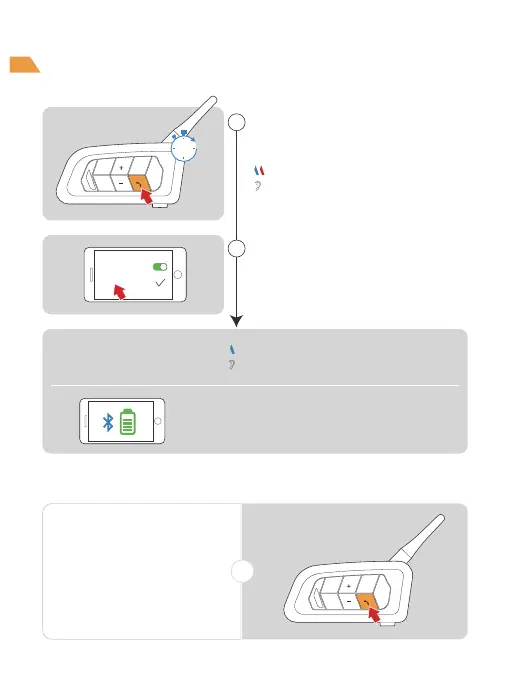
Phone Reconnection
or
Automatically connect
back to the last paired.
Pairing successful.
Blue light twice flashes slowly
(the mobile phone needs to support HFP)
"Pairing Successful"
Current power will be shown on your phone.
"Phone Pairing"
1
2
In standby mode, long press the
<Phone Button> for 5s to enter
the pairing state.
Turn on the Bluetooth of the
mobile phone and click on the
device.
5s
Bluetooth
V6 Plus
Phone Pairing
Red and blue lights flash alternately
Bluetooth Pairing



 To Next Page