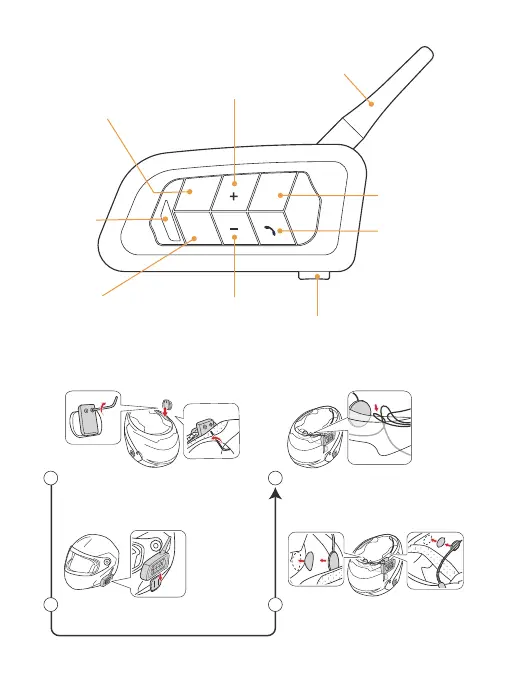
Product Installtion
Install the intercom on the clip.
Use the Velcro stick inside your
helmet, choose the stick / soft
mic for your need.
Organize the inside messy cables,
and put them inside your helmet
foam for easy wearing.
Loosen the screws of the clip,
install it on your helmet for fixed.
2 3
4
1
3.5mm Round hole charging/
Earphone interface
Volume -
Antenna
Indicator
Volume +
A Button
Phone/
Power Button
FM Button
B Button
Product Details
1



 To Next Page