5
Device 1, device 2, and device 3
are paired as above two steps.
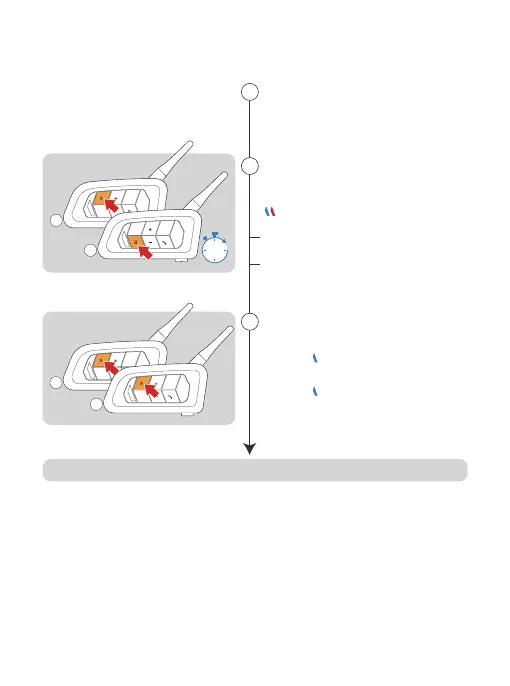
Long press both <A Button> of
device 3 and <B Button> of
device 4 for 5s, waiting to pair.
Searching and paring.
Red and blue lights flash alternately
Paring successfully.
2
1
5s
4
3
1
Click both <A Button> of device
1 and device 2.
{Blue light flashes once +
stays on for 2s} and cycle
device 1
{Blue light flashes twice +
stays on for 2s} and cycle
device 2
3
2
4-Way Intercom Pairing
Connected, start communication.



 To Next Page