A fully charged battery lasts up to 40 days / 10,000 tests of continuous use.
The battery must be charged when the last status bar is shown, at the latest
when E07 is indicated on the display, see Troubleshooting Guide (section 9).
Fully charge the battery after 9 months, whether or not the instrument has
been in use.
6.2 Data Transfer
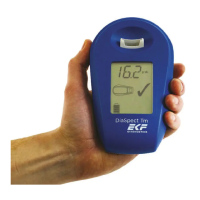
The DiaSpect Tm analyzer comes with USB 2.0 and an optional Bluetooth
®
function.
For additional information on data transfer, please contact the manufacturer.
6.3 Cleaning and Disinfection
1.
Pull the backside of the cuvette holder slightly towards you and lift up.
2.
Using a swab, clean the cuvette holder with cold water or a mild detergent,
followed by disinfectant. Dry thoroughly.
3.
Re-insert the dry cuvette holder by pressing down until you feel a “click”.
4.
Clean device with cold water or mild detergent, followed by disinfectant.
To disinfect the instrument, use conventional solvent-free surface disinfectants or
PDI Super Sani-Cloth
®
Germicidal Disposable Wipes and follow labeling directions.
Do not spray the instrument when cleaning, as this will damage the
instrument!
Only use wipes lightly dampened in water/detergent/disinfectant for cleaning and
disinfection.


 To Next Page