Set up
HemoPoint
®
H2 User Manual
13
Please be patient after plugging the analyzer into the electrical
socket. It may be 4 or 5 seconds before anything appears on the
display. This does not indicate a fault but is related to various
initialization steps within the analyzer. Following this initialization
phase, the display illuminates and a welcome screen appears
briefly, after which the instrument is ready to operate.
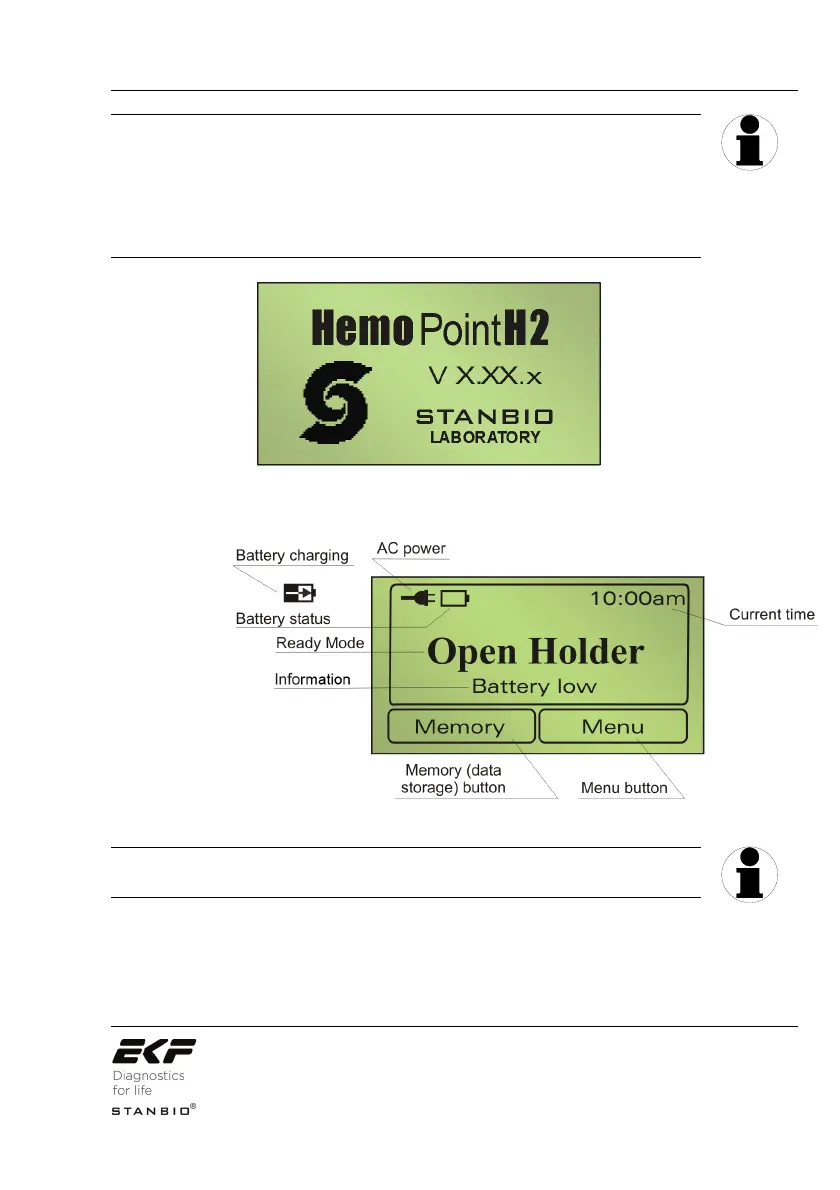
Illustration 4: Welcome display screen.
Illustration 5: Display in ready mode (Open Holder).
The individual symbols and their meanings are explained in
Section 3.3.5 “Displays and symbols in the ready mode“.
Now you can either start your testing, view results in the memory,
or carry out adjustments in the Menu.
TIP
TIP


 To Next Page