Sampling and testing procedure
HemoPoint
®
H2 User Manual
28
Always carry out a blank reading whenever you have removed
the cuvette holder (i.e., cleaning, replacing with a new cuvette
holder).
A blank reading can be performed as follows:
1. Open the cuvette holder completely.
The text in the display reads “Add Cuvette”.
2. Close the cuvette holder, without inserting a cuvette.
In this case the analyzer does not start testing. After approx. 2 –
3 seconds the display will read “Open Holder”. If the instrument
does not show “Open Holder”, there is possibly a malfunction.
Please consult Section 7 “Troubleshooting”.
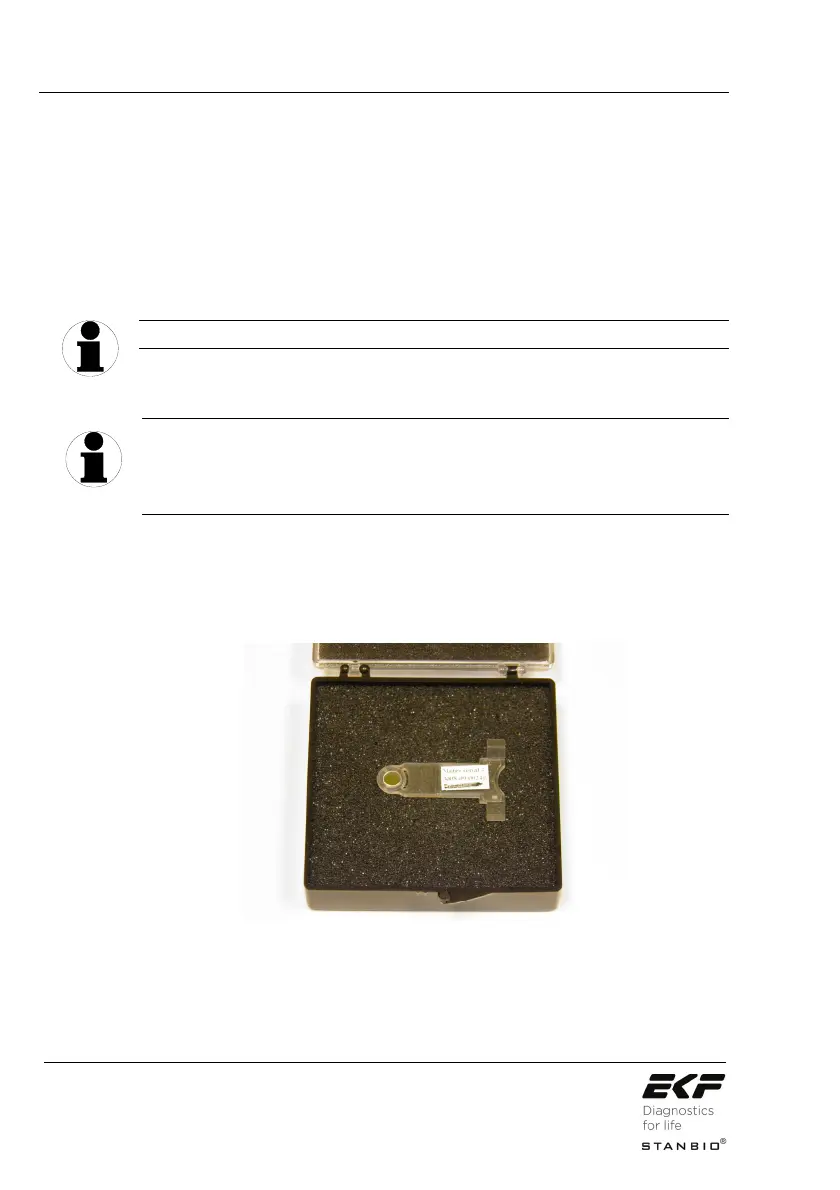
4.3.3 Control cuvette
The control cuvette supplied with the analyzer can be used for a
simple check of the analyzer’s calibration.
Illustration 23: Control cuvette.
The Hgb value and the permitted deviation of the control cuvette
are stated on the storage box label. All analyzers have a specific
calibration due to the tolerances in the mechanical and electronic
components. The control cuvette is only calibrated for the
TIP
TIP


 To Next Page