Further functions
HemoPoint
®
H2 User Manual
47
5.6.2.1 Connecting the printer cable
To connect the printer to the HemoPoint
®
H2 a special printer
cable is needed which is included with each printer if sold for use
with the HemoPoint
®
H2 or may be purchased separately from an
authorized EKF Diagnostics distributor.
Please only use the cable intended for this purpose, otherwise
both the analyzer and the printer may be seriously damaged.
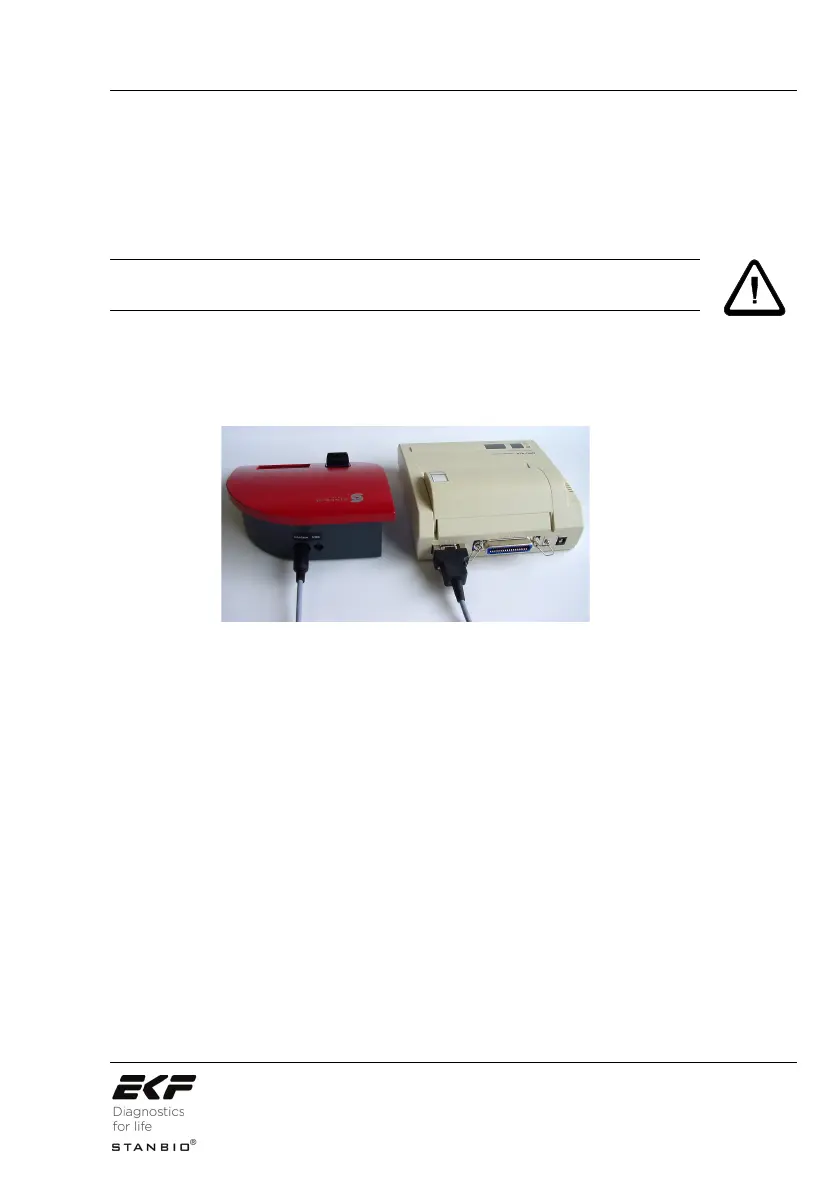
The printer cable is equipped at one end with a 9-pin serial plug
to connect with the printer and at the other end with a 7 pole mini
–DIN plug to connect to the interface socket of the HemoPoint
®
H2
(see Illustration 33, Connecting the Seiko DPU-414 printer).
Illustration 33: Connecting the Seiko DPU-414 printer.
WARNING!


 To Next Page