15
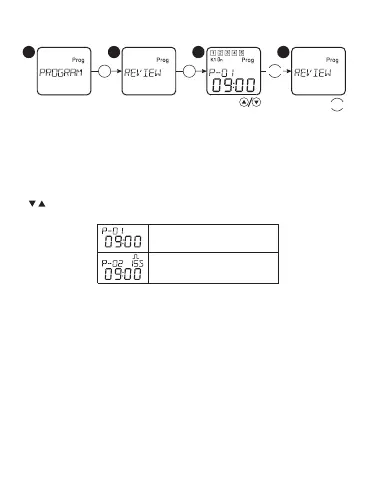
Review of the installed programs:
OK OK
MENU
M
ENU
*
ON/OFF PROGRAM
PULSE PROGRAM
*
ON/OFF PROGRAM
PULSE PROGRAM
Select in the main menu the option «PROGRAM»,
Conrm the selection with the ON/OFF of PROGRAM
button «ОК». Select the option
OVERVIEW, conrm the selection with «ОК».
After that, by using the buttons
« », it is possible to review all the installed programs.


 To Next Page