16
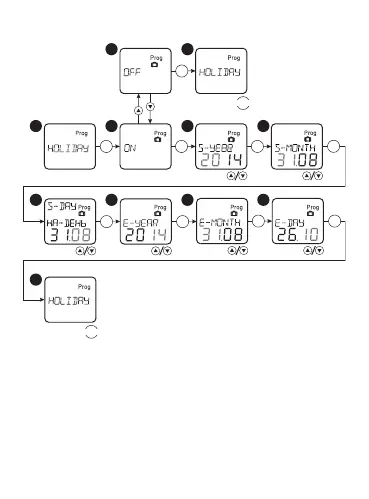
«HOLIDAY» mode setting:
1 2 3
4
5
9
6 7 8
MENU
MENU
OK
OK OK
OK OK
OK
OK
OK
OK
Select in the main menu the option «HOLIDAY», conrm the
selection with the button «ОК». Then select the option «ON»,
conrm the selection with the button «ОК». After that set the year,
month and day for «ON» and «OFF» mode. In order to switch off
the «HOLIDAY» mode, select the option and conrm the selection
with the button «OK» .


 To Next Page