24
Menu structure
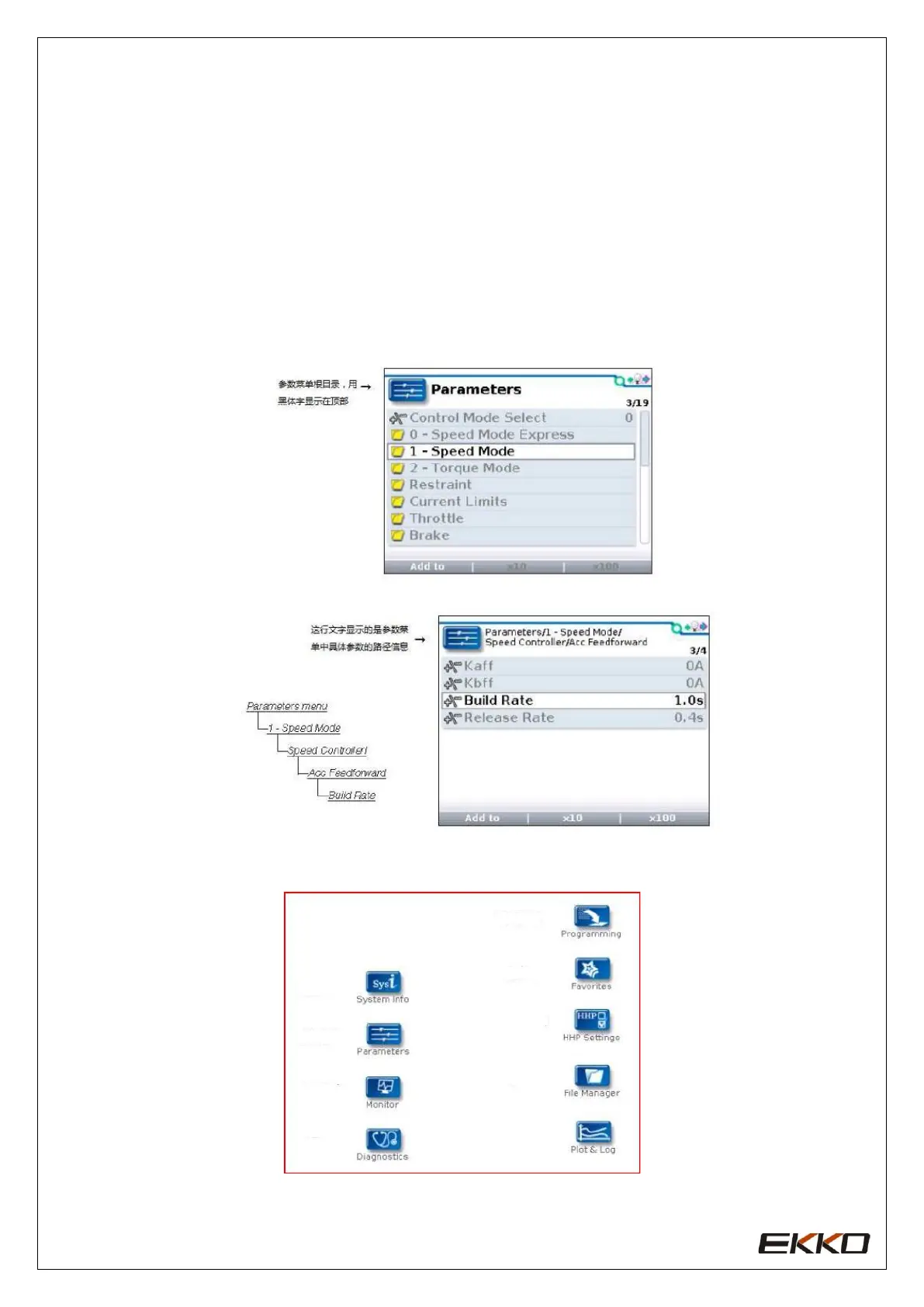
The main menu consists of nine sub-menus, each of which is displayed with a specific icon,
and each item in the sub-menu is arranged hierarchically. Some menus only contain one
item of information, but most menus contain multiple pieces of information. You can enter
the next submenu by opening each folder. Expand the table through the grid options and
enter a group of execution commands through the dialog box options. No matter which
interface, you can use the left direction key to return to the previous menu. The names of all
nine sub-menus are displayed in bold on the main menu and displayed below the icons.
When entering the stepped menu, the name of the submenu or the path you are on will be
displayed at the top of the screen
.
Nine menus:


 To Next Page