DUO - User Manual Pg 8
2.1 Setup
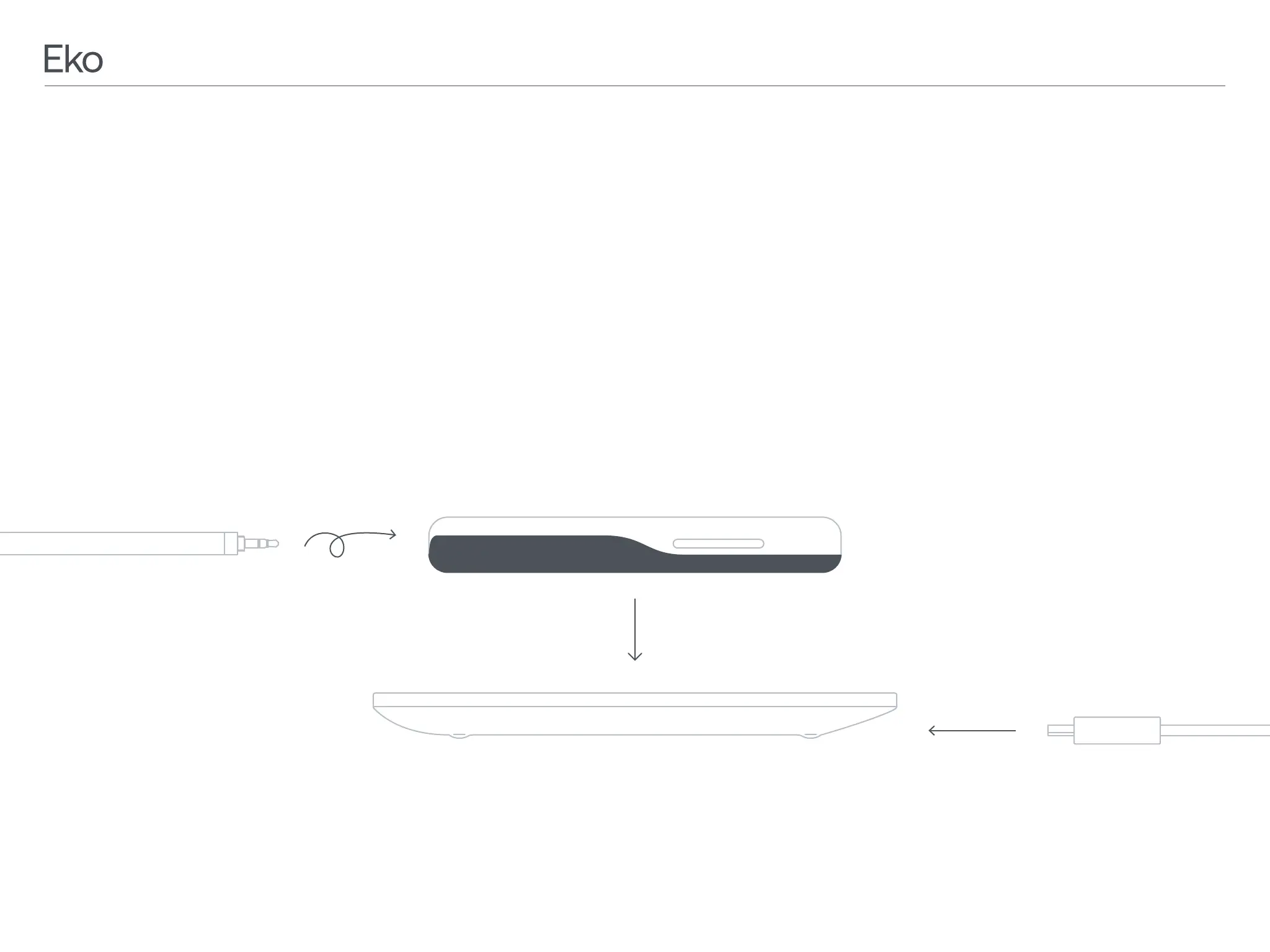
Install included Earpiece by plugging the audio jack
into the 3.5mm audio port at the base of DUO and
tightening the threads.
2.2 Charging
To charge DUO, place the device on the Wireless
Touch Charging Pad. Connect the charging pad to
a power source using the included USB charging
cable and power adapter. The lights circling the
is charging and properly placed. An orange light
will also appear on the changing pad. The lights on
periodically recharged even when in storage. Lithium
may fall to an unacceptably low level, damaging the
NOTE: DUO will not operate or connect to Eko App
while charging.
Micro USB
Wireless Touch Charging Pad
Earpiece
the audio jack and twist
to secure.
Plug the charging pad
into an outlet using the
included mirco USB and
wall adapter.
Place DUO on the wireless charging pad. The
indicating that the device is charging and
properly placed. An orange light will also appear
on the changing pad. The lights on DUO will turn


 To Next Page