40
CONTROLLING YOUR TV WITH
THE LG THINQ APP
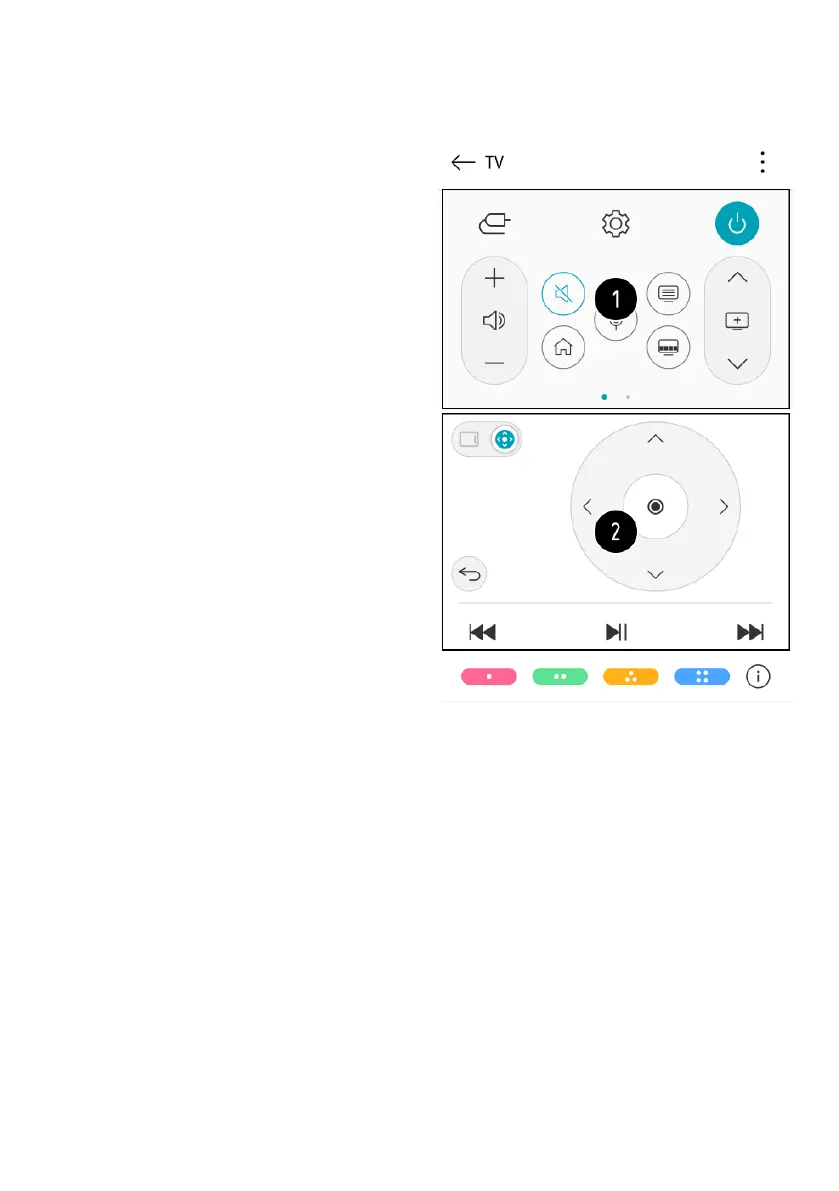
You can tap the buttons on your smart
device’s screen to control the TV.
1. When watching a broadcast,
you can control the programme,
volume, etc. or select the
external input with voice
commands instead of using the
remote control.
2. You can use the same functions
as the Magic Remote’s pointer
and arrow keys.
- Some controls may be limited in
external input mode.
- The app’s screen and
functionality are subject to
change without prior notice.
- Available features may dier
depending on your country
and OS.
CONNECT EXTERNAL DEVICES (Cont.)



 To Next Page