DO 2.1
DO 2.1-10
08/2018 - 9 - NP-DO2.1_10_08-2018
U
N2
X1
1
U
PEN
EV1 M1
1
M
B1
C
5
4
X2
PS-DO2
(PST-DO2)
CP1
U
N2
X1
1
5
4
X2
PS-DO2
C1
D1
+
Re1
FU1 FU2
U
N2
X1
1
5
4
X2
PST-DO2
C1
D1
+
Re1
FU1 FU2
Tr1
24V AC/DC
or EXT.
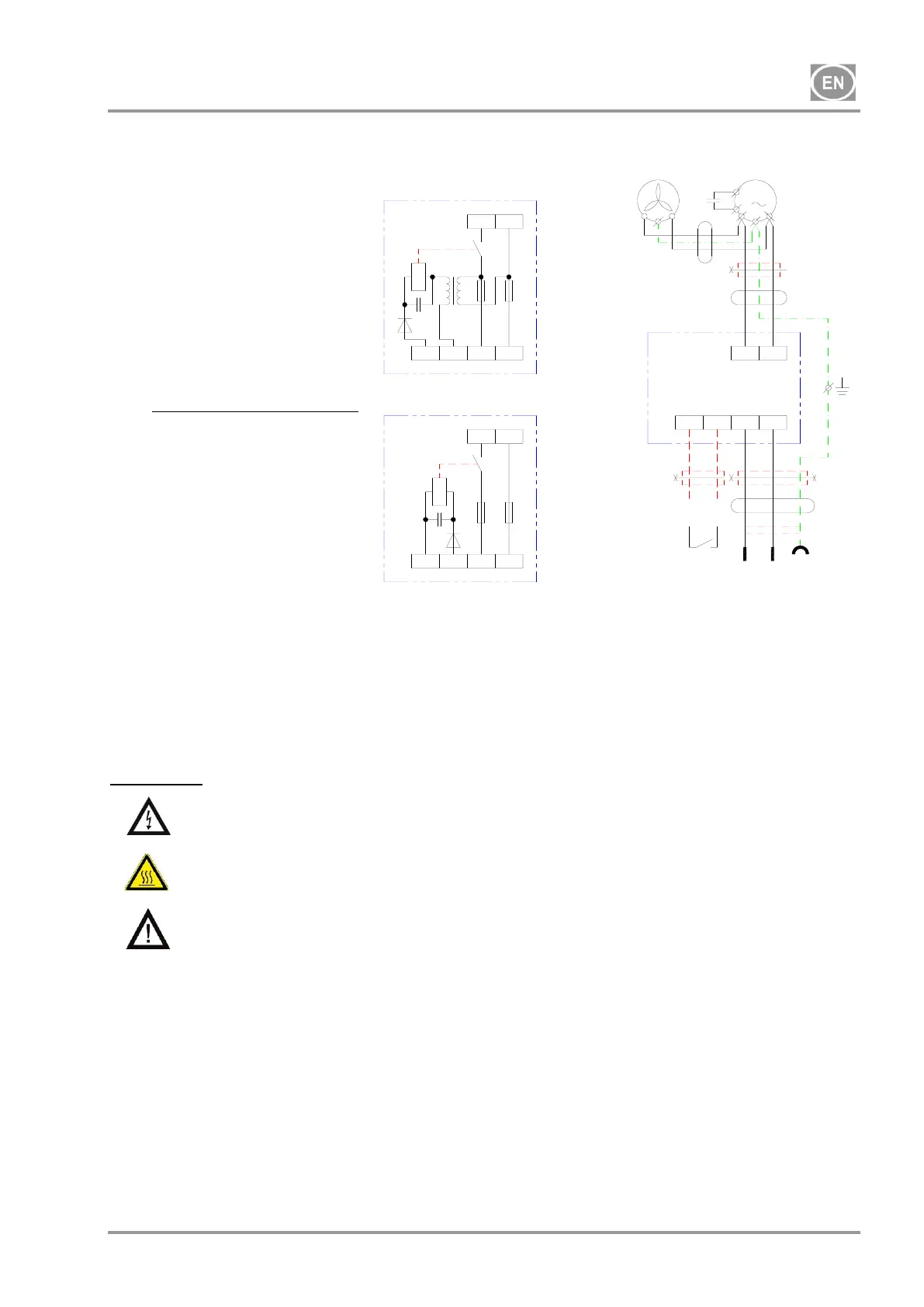
12. WIRING DIAGRAM
13. FIRST OPERATION
Make sure that all stabilizers used during transport were removed.
Check all connections of the vacuum and exhaust pipe-work system.
Check the suction unit is switched on at the plug.
Check the suction unit switches on at the dentist‘s pneumatic control module.
OPERATION
In case of emergency, disconnect the suction unit from the mains (pull out the mains
plug).
Parts of the suction unit can have hot surface areas. There is the danger of scorching if
contact is made.
The suction unit operates after receiving a signal from the dental chair. The cooling fan
and suction pump always work together.
14. SWITCHING SUCTION UNIT ON
When the suction unit is switched on at the plug, power is provided to the switching block, and puts the
aspirator - on stand-by mode - waiting for a signal from the dental chair. When a signal is received, the
suction unit operates and creates a vacuum in the inlet path until a signal interrupts its operation, and puts
the suction unit back - on stand-by mode.
230 V
ELECTRIC OBJECT OF
CLASS I


 To Next Page