EasyManua.ls Logo

Ekopower Ekoheat 4000 - User Manual

Default Icon
23 pages
Print Icon
To Next Page IconTo Next Page
Loading...
Page 1
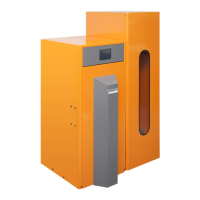
User manual for Ekoheat pellet boiler
Dear Customer
Congratulations on your new Ekoheat pellet boiler from Ekopower.
Please read this manual thoroughly before starting the
installation.
Page 2 : Mounting of the Ekoheat pellet boiler
Page 3 : Initial start-up
Page 4-9 : The controller
Page 10-11 : Cleaning and maintenance
Page 12 : Electrical chart of the control
Page 13 : Accessories
Page 14-15 : Fault finding
Page 16 : Software up-dating
Page 17 : Technical specifications
Page 18 : Warranty
Page 19 : CE-Marking
Page 20-23 : Test of approval
Page 24 : Marks of approval
The pellet boiler from Ekopower has been
tested by Dansk Teknologisk Institut
according to the following norm:
Ekoheat 900 = EN 303-5:1999
Ekoheat 1500 = EN 303-5:1999
Ekoheat 2500 = EN 303-5:1999
Ekoheat 4000 = EN 303-5:2012
All systems are marked AA
A = Efficiency / A = Environment
Ekoheat pellet boilers are CE marked.
Best regards
Dan Elkjær
Managing
director
Warning
Ekoheat pellet boiler must not be
operated by minors.
Top plate as well as front gate,
must always be mounted during
operation.

Questions and Answers

  • M
    Michael AlvaradoAug 9, 2025
    What to do if the red alert is flashing on my Ekopower Ekoheat 4000 Boiler?
    • N
      nruizAug 9, 2025
      If the red alert is flashing on your Ekopower Boiler, it might be because a sensor is connected to the controller in the settings but not physically present. To resolve this, go to the menu, then 'fitters settings,' and then 'optional equipment.' Find the sensor that is marked as 'Yes' and change it to 'No.' If needed, unplug the boiler from the power socket and then turn it back on.
  • M
    Mark SotoAug 19, 2025
    How to fix 'Alert burnt out' on Ekopower Ekoheat 4000 Boiler?
    • J
      janejohnsonAug 19, 2025
      If you receive an 'Alert burnt out' message on your Ekopower Boiler, several factors could be responsible. First, ensure that the pellet supply is correctly adjusted by weighing the pellets. Next, check if the photo sensor is dirty; clean it, and replace it if necessary, ensuring a minimum of 100 lux on the display during full operation. Also, verify that the minimum setting isn't too low, and increase it to 25-30 if needed. Finally, consider updating to the newest software version.
  • M
    mooremaryAug 29, 2025
    What to do if my Ekopower Ekoheat 4000 Boiler shows 'Alert ash plate'?
    • T
      Tyler JohnsonAug 29, 2025
      If you're getting an 'Alert ash plate' on your Ekopower Boiler, start by checking the micro switch manually to see if it clicks; clean it or replace it if necessary. Then, inspect the ash plate for slag accumulation and clean it. Also, ensure the screw stick is greased with aluminum paste, and if the screw block is worn out, replace it.

Summary

Mounting the Ekoheat Pellet Boiler

Initial Start-up Procedures

Auger Calibration and Final Setup

Calibrate the auger for optimal fuel feeding and complete final assembly.

The Controller Interface and Settings

User Settings: Boiler and Fuel Parameters

Adjust boiler temperature, fuel input rate, and fan settings.

Fitter Settings

Flue Suction and Airflow Optimization

Optimize flue suction and airflow for efficient combustion.

Boiler Efficiency and Setpoint Adjustments

Fine-tune maximum efficiency and set boiler stop/start temperatures.

System Restore and Software Update

Reset to factory defaults or update the controller software via USB.

Advanced Menu Functions

Self-Testing and Component Verification

Test boiler type, sensors, and individual components for proper function.

Maintenance and Cleaning

Ashpan and Burner Cleaning

Procedures for emptying the ashpan and cleaning the burner tube.

Electrical Control Board Diagram

Optional Equipment Details

Fault Finding and Troubleshooting

Burner and Ignition Issues

Addresses issues with burner connection, ignition errors, and airflow.

Boiler Alerts and Indicators

Troubleshoots alerts for burnt-out components, ash plate issues, and red alerts.

Software Update Procedure

Controller Software Installation

Detailed instructions for installing the software on the controller.

Technical Specifications

Warranty Information

Warranty Coverage and Conditions

Details on what is covered, limitations, and required conditions for warranty.

Ekopower Ekoheat 4000 Specifications

General IconGeneral
TypeElectric Boiler
Max. Thermal Output4 kW
Fuel TypeElectricity
Power Output4 kW
Voltage230 V
Frequency50 Hz
Heating ElementImmersion Heater
Protection ClassIPX4

Related product manuals