4
How to Use
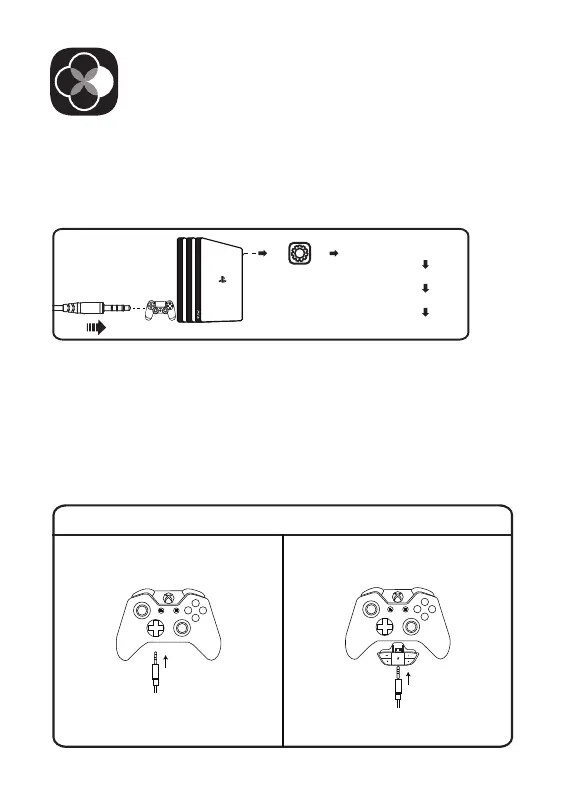
Guide for Xbox® Users
The controller has a 3.5 mm jack:
no adapter is required
The controller doesn't have a 3.5 mm jack:
a Microsoft adapter is required
(Not included)
Xbox One® S/X controller Xbox® One controller
(old version)
[Devices]
[Audio Devices]
[Output to Headphones]
[All Audio]
PlayStation® 4:
Xbox One® S/X:
To get the best when using a PS®4, please directly connect your PS®4
controller with the 3.5 mm audio cable, and follow the steps below.
To work on the NEW version of the Xbox One® S/X controller, you can
directly connect your headset to the controller via the 3.5 mm audio
cable.
Note:
1. The headset is not compatible with Xbox® 360.
2. Old version Xbox® One needs a Microsoft adapter (Not included).
Sound Settings:



 To Next Page