FAQ
7
Q1: I cannot use the headset's microphone when connected to
my computer. How do I resolve this?
A:
(
1
) Go to Control Panel > Hardware and
Sound > Sound. Disable the onboard
microphone on your computer, and
make the Headset Microphone
default.
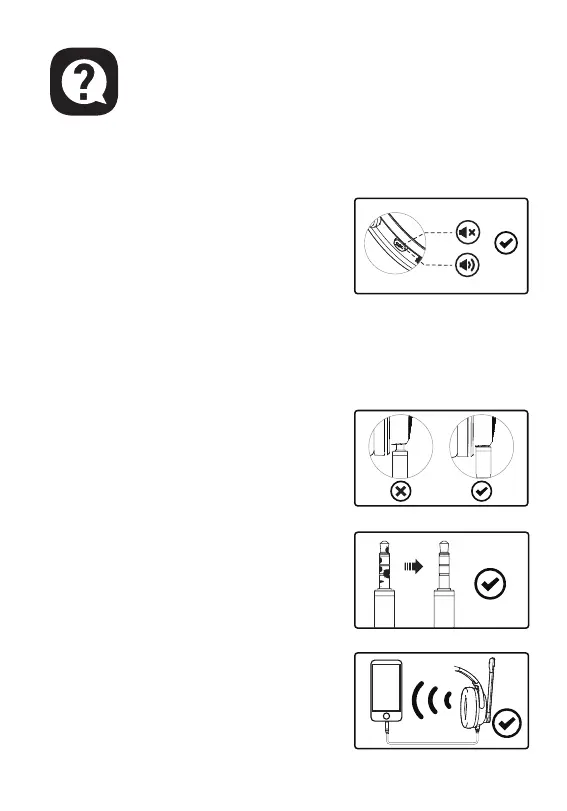
(2) Check that the microphone is not
muted.
Q2: I cannot hear anything from the microphone. How do I
resolve this?
A1:
Check that the headset is plugged
correctly into the device. Check your
audio settings to make sure the
speakers and microphone are enabled
and not muted, or the volume is at an
adequate level.
A2: (
1
) Wipe off the stains or dust on the
3.5 mm interface.
(2) Reconnect the headset to your
device via the 3.5 mm audio cable,
and check whether the microphone
works properly now.



 To Next Page