4
Bluetooth Pairing Connection
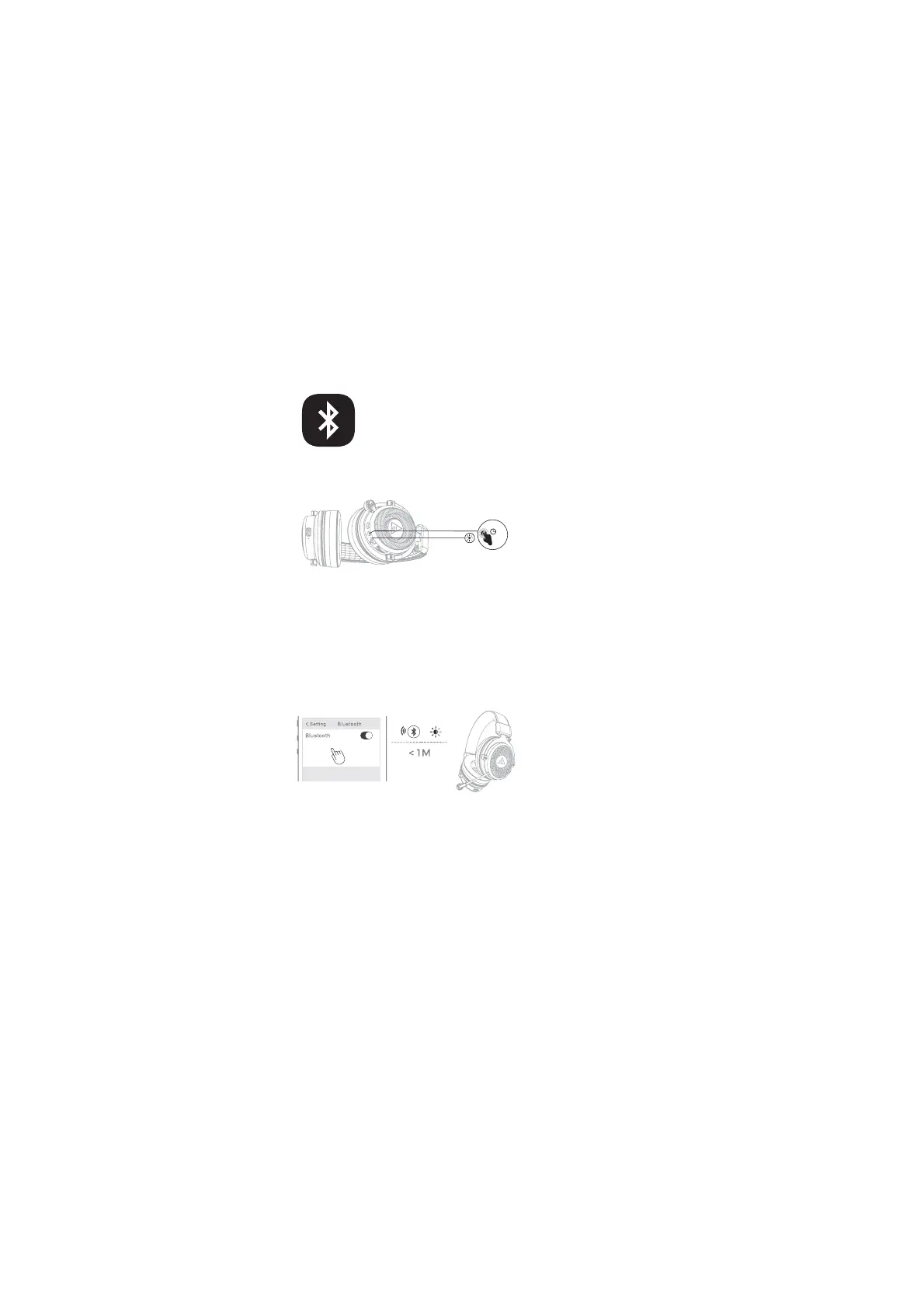
(1) Long press the “Power button” for about 5 seconds in the off state and turn
on. If the blue and red lights flash alternately, the headsets will enter the
paired state.
(2) If the connection is not successful after startup, it will automatically enter
the pairing state.
(3) When the headset is disconnected, it will automatically enter the
pairing state.
(4) Turn on Bluetooth of the device, search for Bluetooth headset, and then
select “EKSA E900 BT” for pairing connection. After the connection is
successful, the headset will prompt “Connected”, the blue light will keep on,
and the device will display that the Bluetooth headset is connected.
Note: 1. If you want to connect a new device, you need to disconnect the
Bluetooth connection from the connected device first, and the headset will
automatically enter the pairing state. Then use the new device for Bluetooth
search and complete the connection with the headset;
2. Each time the headset is turned on, it will automatically search and connect
the most recently connected device.
˜
<_溩溠溠f


 To Next Page