7
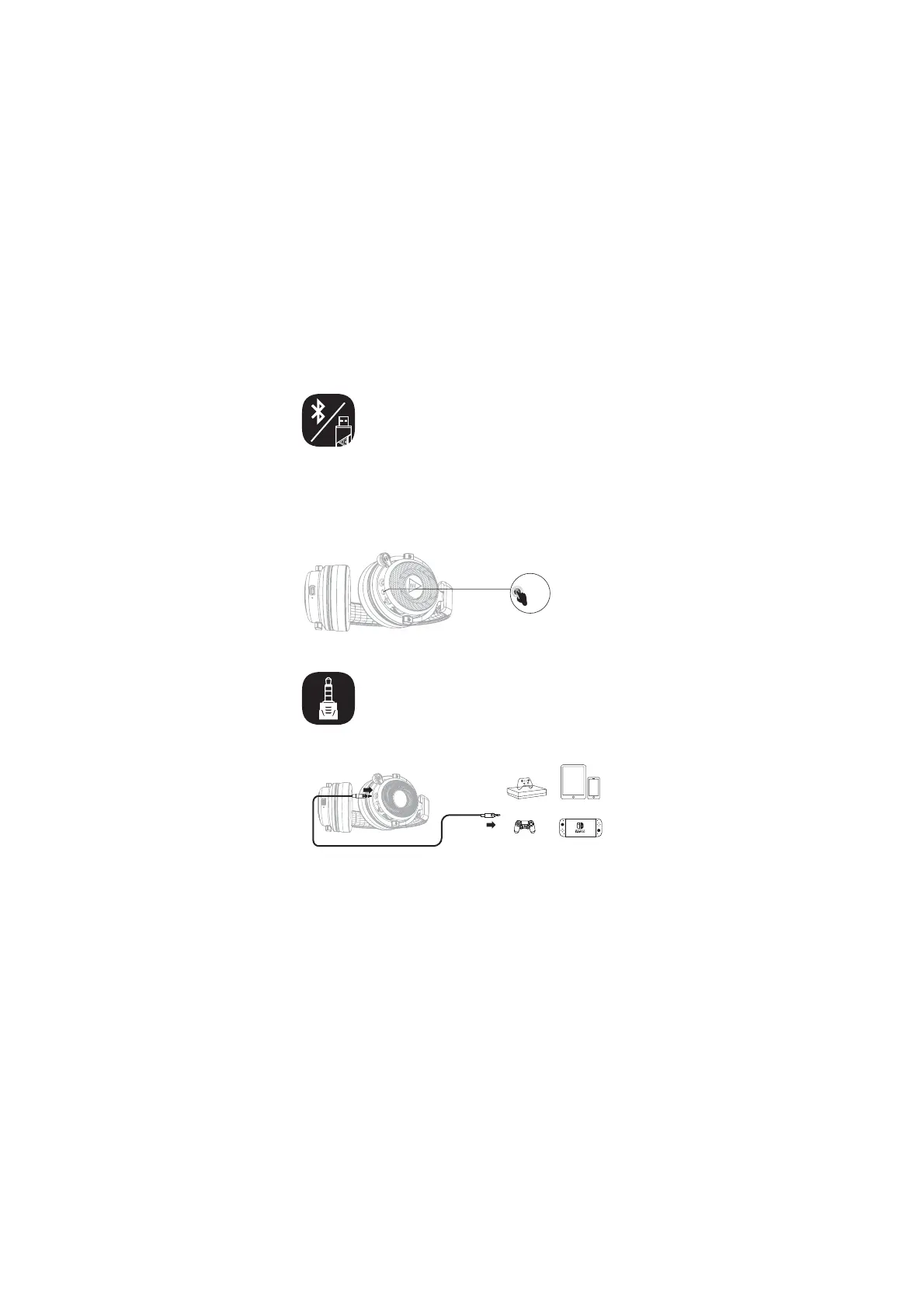
Bluetooth Connection Switch
2.4GHz Transmitter Connection
Y
3.5mm Wired Connection
(1) Bluetooth connection mode is enabled by default after turn-on.
(2) In Bluetooth connection mode, Click the power button to switch to USB
adapter connection mode.
(3) In USB adapter connection mode, Click the power button to switch back to
Bluetooth connection mode.
Note: Connection mode switch is invalid in Bluetooth incoming call,
canceling call, and call state.
(1) In the on state, insert the 3.5mm audio cable, the headset will automatically
turn off, and the headset will switch to the 3.5mm wired connection mode.
(2) In the 3.5mm wired connection mode, the headset cannot be turned on.
(3) In 3.5mm wired connection mode, volume increase or decrease is
effective, while other functions are invalid.
/JOUFOEP4XJUDI˳
14m14m
9CPY0OFm49
mobile devices
Note: Bluetooth and 2.4G connection cannot be used on the
same device.


 To Next Page