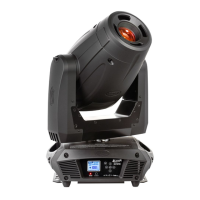
Platinum Spot 5R™
©Elation Professional, Los Angeles Ca. 37 www.ElationLighting.com
Controller Settings:
1. Set the DMX value of channel 1 to a value of 7.
2. Set the DMX value of channel 2 to a value of 7 or 8. When channel 2 is
set to "7" you can adjust the starting address between 1 and 255. When
set to "8" you can adjust the starting address between 256 and 511.
3. Use channel 3 to set your desired DMX starting address. For example: If
you want to set the starting address to 57, set channel 1 to a value of “7,”
set channel 2 to a value of “7” and use channel 3 to set your address to
57 by selecting a channel value of 57. Example 2: If you want to set the
starting address to 420, set channel 1 to a value of “7,” channel 2 to "8"
and channel 3 to "164" (256+164=420).
4. Wait for approximately 20 seconds for the unit to complete the
address reset function.


 To Next Page