!
SWITCHES AND CONTROLS
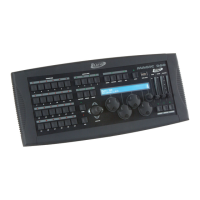
DATA WHEELS
The data wheels are used to increment or decrement the values in the display fields directly above
each wheel. They are used for adjusting the channel values of the lighting fixtures as well as for
general-purpose programming. Pressing the “fixture” or “fixture group” buttons will bring up the
channel display if there are any fixtures selected. You can view and adjust 4 channels at a time using
the 4 wheels, and you can access more channels by pressing the left or right cursor button. Because
only one fixture can be displayed at a time, the last selected fixture will be the one displayed when
more than one fixture has been selected. If a “fixture group” is selected, the lowest numbered fixture
in the group will be displayed.
NOTE: When more than one fixture is selected, only fixtures of the same type that match the
fixture in the display will be affected by the wheels. This assures that the display matches the
fixtures being edited.
Show Designer 2CF will display the channel names for most fixtures that are in the built-in library.
If a fixture profile has been installed, some channels can display the names of each step within
the channel, like color and gobo names. Use fixture profiles instead of the internal fixture
library whenever possible.
CHANNEL FADERS
Just below the number switches are 8 faders that can also be used to control the individual
channels within a fixture. You can address up to 32 channels per fixture by using 4 banks of 8
faders. The bank switch to the left of the faders is used to select which bank of 8 channels is
currently active. The LED to the left of the faders shows the current bank. The channel
numbers controlled by the faders are printed to the left of each fader. For example, the first
fader can control channels 1, 9, 17 or 25 depending on which bank is selected. If a fixture has
less than 32 channels then some banks and some faders will not be used. Before the channel
faders can control a fixture, that fixture must be selected. Any number of fixtures can be
controlled at once. If for example all fixtures are enabled, moving fader 1 with bank 1 selected
will change channel 1 on every fixture.
If you are using the “multi fixture” feature of Show Designer 2, the channel faders can be used
to control each channel of every fixture within the multi fixture group. If for example you have
programmed 8 fixtures having 4 channels each, faders 1-4 will control the first fixture of the
multi fixture group, faders 5-8 the second and so on.
The faders can also be used as scene masters. This is explained in more detail in the next
chapter.
BANK SWITCH
The bank switch selects the current bank of channels controlled by the 8 faders. This allows
you to control up to 32 channels per fixture (or 32 scenes when in scene master mode) using
only 8 faders. The bank LED next to the faders will show the currently selected bank and the
numbers printed next to each fader show the channel number or scene number of the fader for
the selected bank. As a convenience the bank select will only go as high as needed for the size
of the currently selected fixtures.



 To Next Page