2. Operation Guide
2.4 Dim Preset Mode
2. Tap the Up or Down button to change the value
within the range of 00-100%. Each tap will change
the value once, pressing and holding down will
change the value quickly.
Once the Dim Preset Mode is selected, it will be
recorded into the unit automatically.
1. Press Menu button to enter Dim Preset Mode.
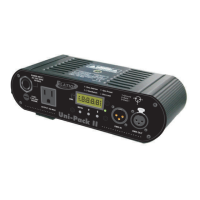
The Segment Display will show"P-00".
3. Once the Mode is selected, press
Menu button to return to DMX Address Mode.
Dim Preset
DMX Address
Dim/Switch
Dim Preset
Dim Limit
DMX
DMX Address
Dim/Switch
Dim Preset
Dim Limit
DMX
DMX Address
Dim/Switch
Dim Preset
Dim Limit
DMX
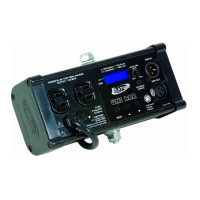
Technical Specifications
Power Input ........................................................... AC 230V~60Hz, 10 A max.
Channel Output ................................................................................ 10 A max.
DMX OUT ................................................................ 3-pin XLR female socket
DMX IN ....................................................................... 3-pin XLR male socket
Fuse ................................................................................. F10A 250V 5x20mm
Dimensions ............................................................................... 200x82x67mm
Weight ................................................................................................... 1.1 Kg
99
88
MENU
MENU
MENU



 To Next Page