19
Use auto-off to automatically turn the oven off
when the set cooking time has elapsed.
To set the oven for cooking with auto-off
1 Set the oven:
●
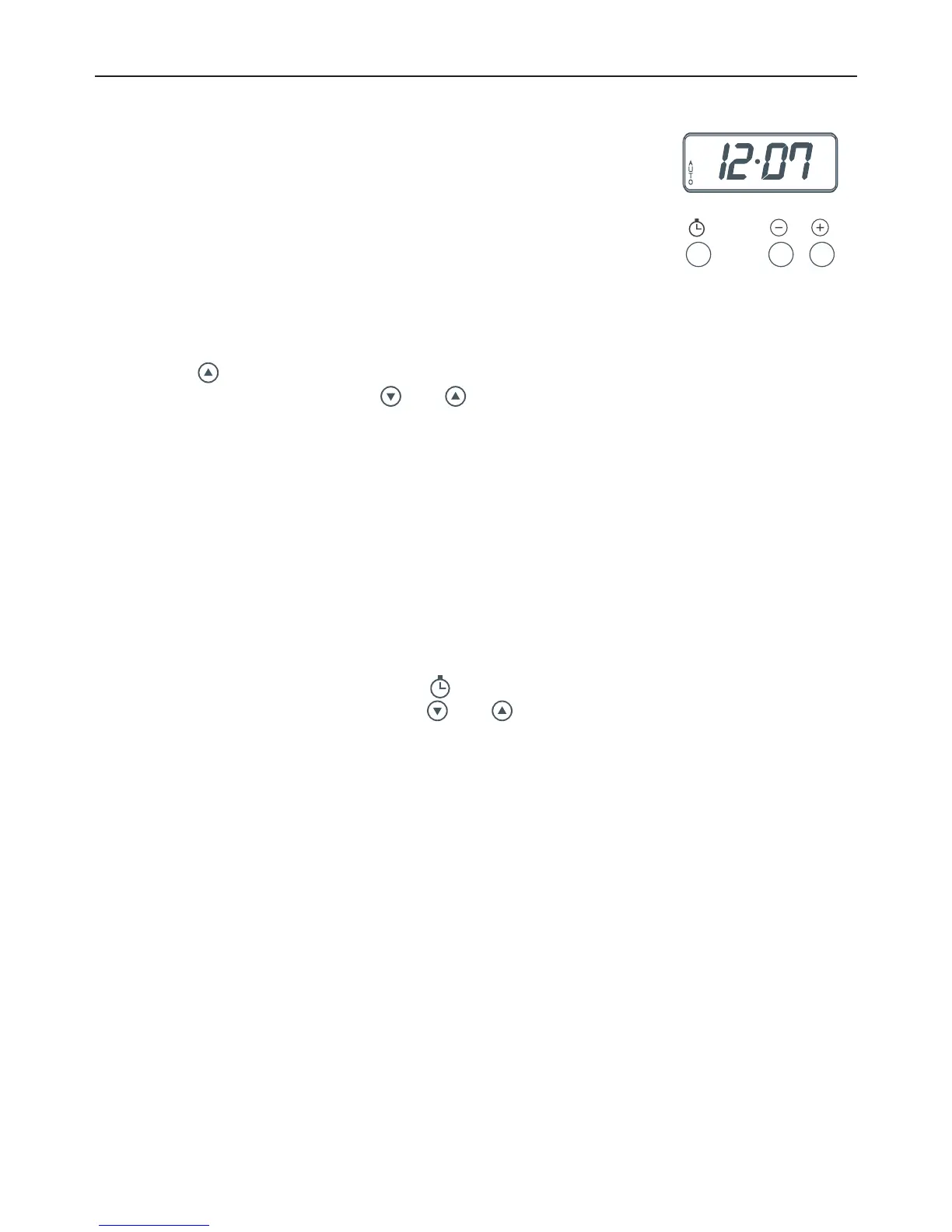
Check the clock shows the correct time (eg 12:07).
●
Select the function and set the temperature.
The oven will turn on.
2 Set the cooking time:
●
Decide how long the food will take to cook,
allowing time for preheating if necessary
(eg 40 minutes).
●
Press .
●
While AUTO is flashing, use and to set the cooking time (eg 40 minutes).
Notes on setting the cooking time
If the cooking time is 99 minutes or less:
●
you can set it in 10-second steps
●
the remaining time will count down in seconds (min.sec).
If the cooking time is 100 minutes (ie 1 hour 40 minutes) or more:
●
you can set it in 1-minute steps
●
the remaining time will start counting down in minutes (h.min).
When auto-off is set
●
The time will start counting down and the clock display will show the remaining time
with AUTO steadily lit.
●
To see the current time of day, press .
●
To cancel the auto-off setting, press and together. The current time of day will
appear in the display. Turn the function and temperature knobs to O (off).
When the cooking time is over
●
The oven will automatically turn off (eg at 12:47). AUTO will start flashing, the current
time of day will appear in the display and the timer will beep:
1 Press any button to stop the beeping and return the oven to manual mode.
2 Turn the function and temperature knobs to O (off).
Fig. 16 Three-button clock
display and control buttons
MODELS WITH THREE-BUTTON CLOCK
COOKING WITH AUTO-OFF



 To Next Page