20
User level
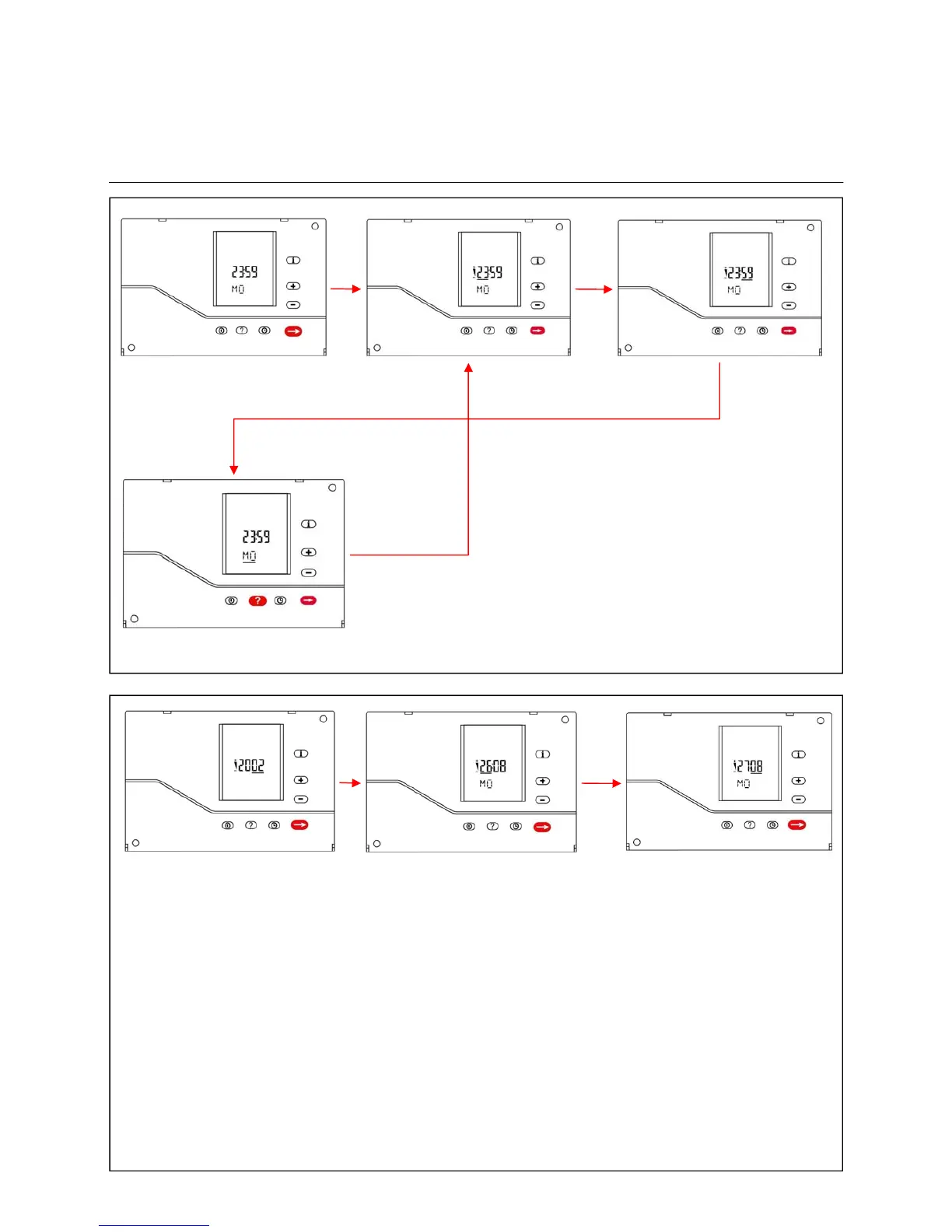
Displaying and setting the day and time
Displaying and setting the date
To set the time of day, press the following controller
keys in sequence:
time -> enter -> Use plus or minus to set the hour. ->
enter -> Use plus or minus to set the minute. ->
enter -> Use plus or minus to set the day. ->
Press the clock key to confirm the changes.
Return to the normal display without saving the chan-
ges by pressing the On/Off key.
To set the date, press the following controller keys in sequence:
time -> question mark -> Use plus or minus to set the year. ->
enter -> Use plus or minus to set the day. ->
enter -> Use plus or minus to set the month. ->
Press the clock key to confirm the changes.
Return to the normal display without saving the changes by pressing the On/Off key.



 To Next Page