8-4
HOW TO USE YOUR CARAVAN’S EQUIPMENT
scroll through to ‘Water Heater Boost Time’
Select the desired boost timer duration using
the - and + Note: If Forever is selected the
water heater will remain CONSTANTLY ON
until all water heater settings are turned off.
4. Once the desired setting has been
activated, press the home button to
return to the home screen.
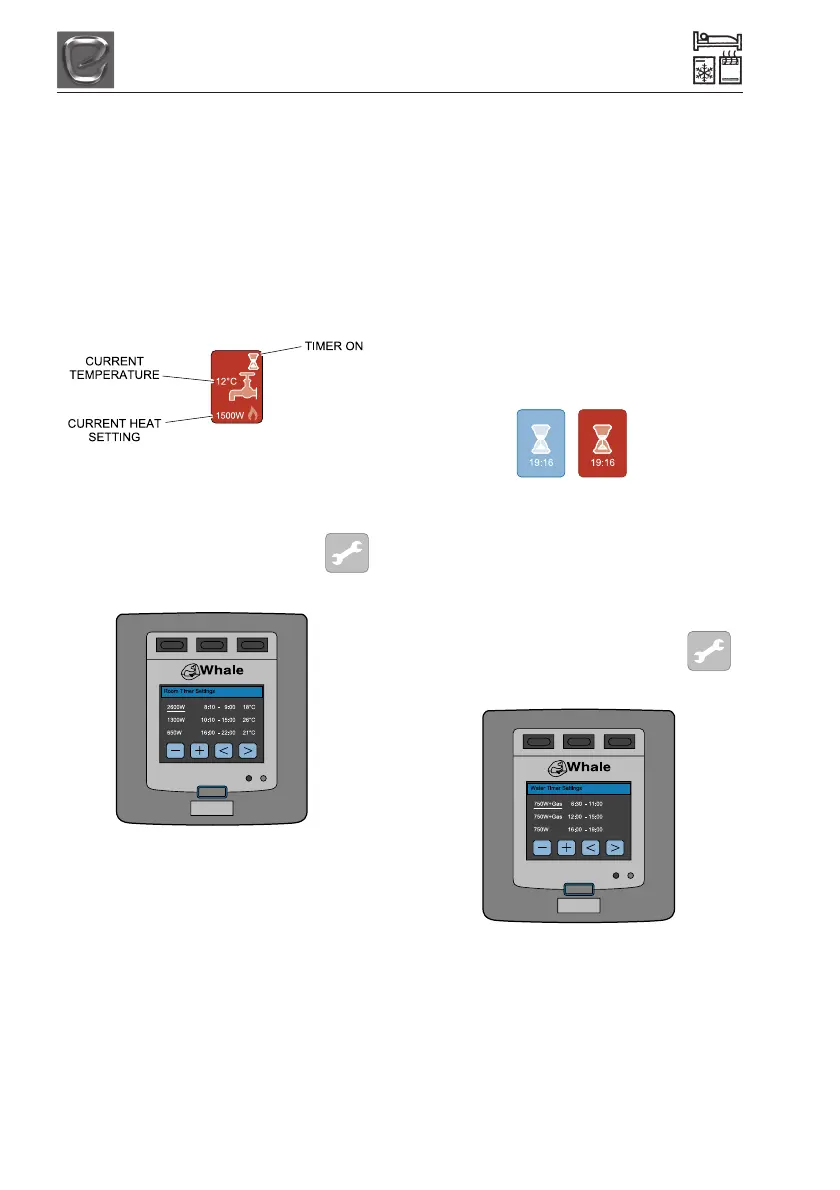
The home screen will now show the ‘tap’ icon
in red with selected heat setting displayed.
Programming the Timer
Space Heater Timer:
To set the timer, touch the spanner
icon on the home screen then touch
Room Timer.
The Space Heater timer may be programmed
up to 3 times during a 24 hour period.
Touch the arrow keys to move the cursor
along each of the 3 programmable times.
Use the + and - to select the on and off time,
the desired temperature and the desired
power setting. The thermostat ranges from
18ºC to 35ºC.
Available power settings are:
• Gas Only
• Fan Only
• Gas and 1300W
• 650W
• 1300W
• 2600W
•Off
Please note: The timer function must be
adjusted so that the start time is before the
finish time.
To activate the timers, press the home button
and touch the timer icon. The timer icon will
turn red to show that timers are activated.
Turning the Timer Off:
To deactivate the timers, on the home screen
touch the red timer icon. The icon will turn
blue to show that the timer function has been
deactivated.
Water Heater Timer:
To set the timer, touch the spanner
icon on the home screen then touch
Water Timer.
The Whale Heater timer may be programmed
up to 3 times during a 24 hour period.
Touch the arrow keys to move the cursor
along each of the 3 programmable times.
Use the + and - to select the on and off time
and the desired power setting.




 To Next Page