8-5
HOW TO USE YOUR CARAVAN’S EQUIPMENT
Available power settings are:
• Gas Only
• 750W
• 1500W
• 750W and Gas
• 1500W and Gas
Please note: The timer function must be
adjusted so that the start time is before the
finish time.
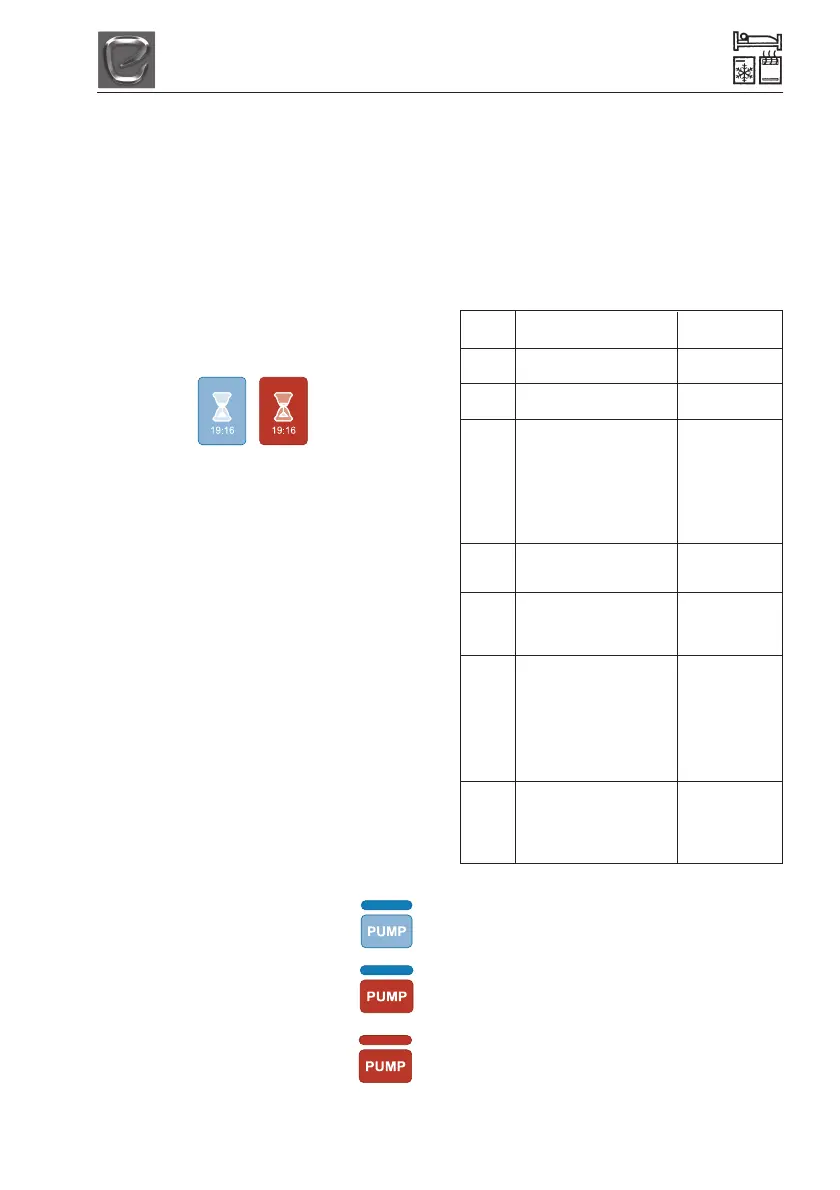
To activate the timers, press the home button
and touch the timer icon. The timer icon will
turn red to show that timers are activated.
Turning the Timer Off:
To deactivate the timers, on the home screen
touch the red timer icon. The icon will turn
blue to show that the timer function has been
deactivated.
Quick Timer Settings:
The iVan Control Panel will store the last
programmed settings. To quickly activate the
previously set timers for both Space and
Water Heater, touch the timer icon on the
home screen. The icon will turn from blue to
red, should the timer function (with the last
programmed settings, for both Space and
Water Heater) be activated.
Operating the Pump
The Whale Watermaster
®
Exterior Pump
works on a pressurised system. The system
is controlled by Watermaster IC.
On the iVan Control Panel you can see if the
pump is running by checking the pump icon.
Blue icon with a grey bar indicates
that the pump has been isolated.
Red icon with a grey bar indicates
that pump is turned on but not
running.
Red icon with a red bar indicates
that the pump is turned on and
running.
Options
There are a number of additional user
options that can be adjusted as required.
To enter the options menu from the home
screen, touch the spanner icon and then the
options icon. Scroll through the available
options (see table below) using the arrow
keys and select the desired setting using the
+ and -.
Menu Functions Available
Settings
Beep Enables user to turn On
the keyboard tone on/off Off
Flashing Enables user to turn the On
Light home flashing light on/off Off
Mains Enables user to set the Select between
Supply maximum power consump- 1 and 16 Amps
tion as determined by the
level of mains electric
supplied. This function is
used to avoid excessive
consumption tripping the
system.
Bright Enables user to adjust the Dim/Low Dim/
ness screen brightness Low Bright/
Bright
Water Enables user to change the 15 mins/30 mins
Heater water heater boost timer 60 mins/Forever
Boost duration
Time
Screen Enables user to select the 3 mins/5 mins/
Off time before Ivan goes into 10 mins/15 mins
sleep mode, where all
settings remain active but
the screen is turned off. NB: 3 mins is
The screen can be react- economy
ivated at any time by
pressing the home button.
Propor- Enables user to reduce On
tional awareness of the space Off
Control heater operation. Gives the
user an even heat output
and soft start/soft stop.
Troubleshooting
iVan is equipped with an electronic
diagnostic system which will detect fault
conditions ranging from poor gas or d.c.
supply to internal heater malfunctions. In the
unlikely event of a failure, an error message
will appear with a tap icon to indicate there is
a problem with the Water Heater, or a van
icon to indicate a fault on the Space Heater.
Follow the instructions on next page.




 To Next Page