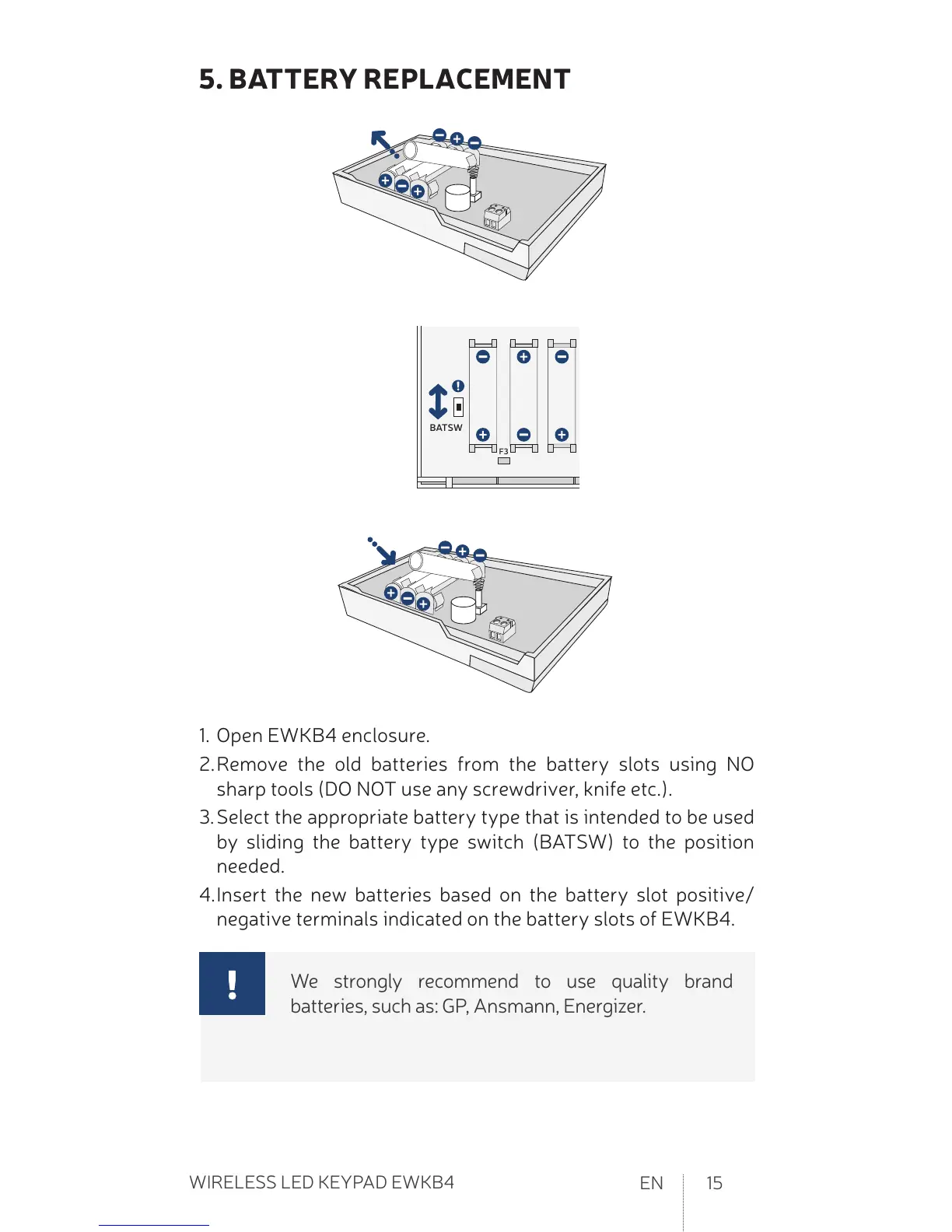
1. Open EWKB4 enclosure.
2. Remove the old bateries from the batery slots using NO
sharp tools (DO NOT use any screwdriver, knife etc.).
3. Select the appropriate batery type that is intended to be used
by sliding the batery type switch (BATSW) to the posiion
needed.
4. Insert the new bateries based on the batery slot posiive/
negaive terminals indicated on the batery slots of EWKB4.
We strongly recommend to use quality brand
bateries, such as: GP, Ansmann, Energizer.


 To Next Page