4
Operating Environment
●
Only operate the humidifier in indoor environments between 41-113°
F and lower than 80% relative humidity.
●
Do not fill the tank with water hotter than 105° F.
●
Filling the tank with purified water is recommended.
Getting Familiar with the Control Panel
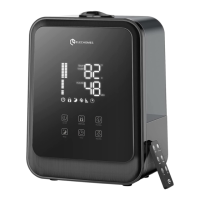
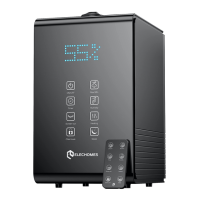
ON/OFF Button
Once the power cable has been successfully plugged into an outlet, a beep will sound and the
humidifAier will be in standby. The LED screen will display the current ambient humidity.
Press the ON/OFF button to begin operation. The LED screen will display the current humidity and
the humidifying grade.
Press the ON/OFF button again to cease operation. The humidifier will go into standby and will
display the current ambient humidity.
Manually turn off the LED display:
1. Press and hold the ON/OFF button (on the humidifier itself, other than remote) for 3 seconds in any
working state to menuslly turn off the LED display.It won't affect the previous operating effects.
2. Press any button to restore LED display. The humidifier beeps 6 times and the LED display restores
when the water tank is short of water or is lifted under any working state except sleep mode.
Note:
Timer Button
Press the timer button to set your desired humidifying time ranging from 1 to 12 hours. Each button press adjusts
the time by 1 hour. (Press and hold the button for 2s to turn off the timing setting.)
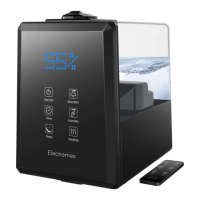
Humidier Operation
ON/OFF Max/Min
Timer Humidity
Sleep Heating


 To Next Page